Adoption of Vidyard's AI Avatars feature grew 12-fold between its April 2024 launch and December 2024, according to Vidyard's business video benchmarks. That measures uptake among Vidyard customers, not better engagement, higher revenue, or superior video quality. Still, it reframes AI avatar videos as a practical production option, not just a novelty. The buying question is whether a synthetic presenter can deliver your message clearly without misleading your audience.
Table of Contents
- What AI Avatar Videos Are and Why They Spread
- Avatar Types and What Each One Suits
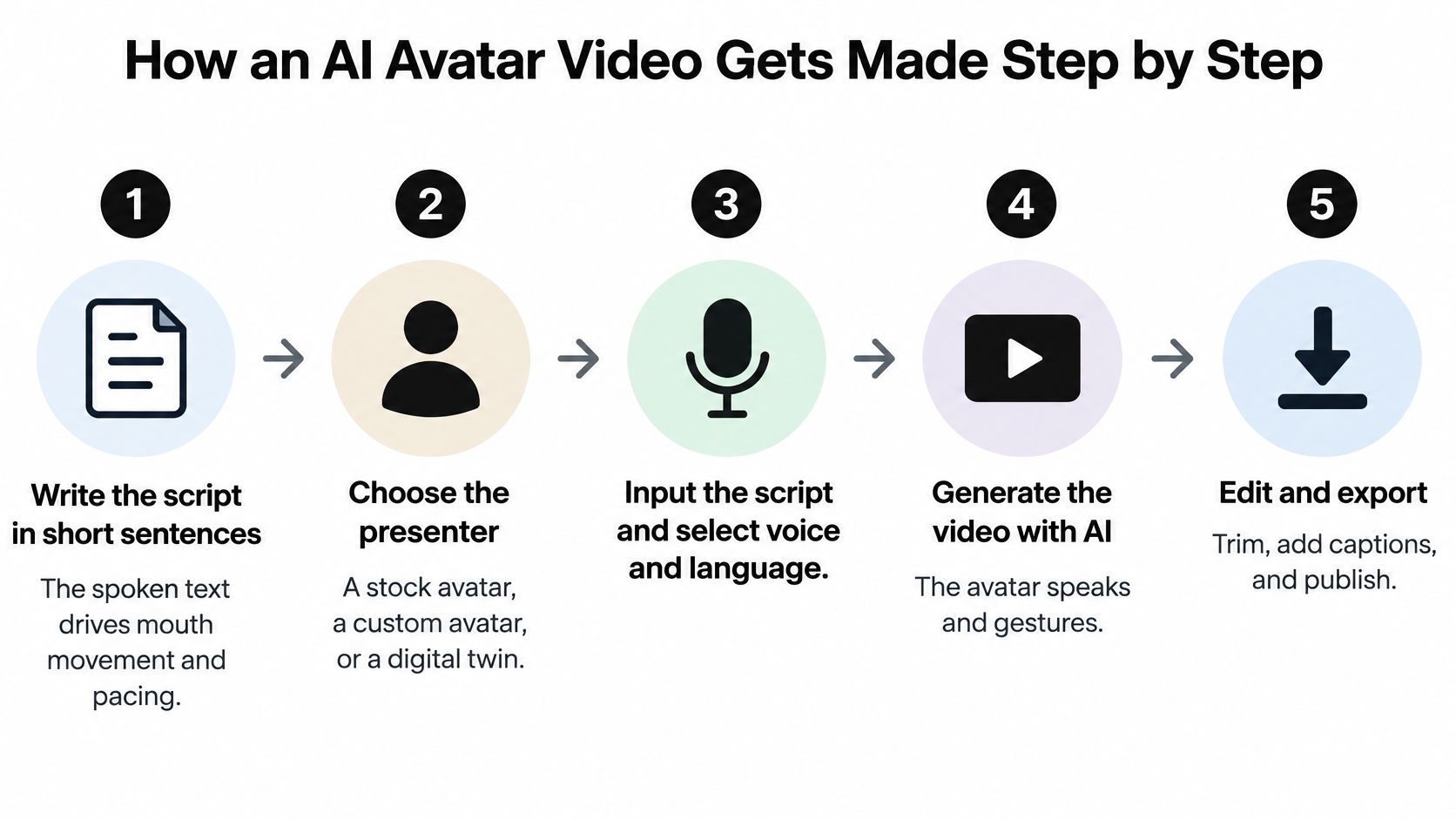
- How an AI Avatar Video Gets Made Step by Step
- Where Avatar Videos Work Best
- How to Test Realism and Lip Sync Before You Buy
- Trust, Disclosure and Accessibility Checks
- Choosing a Tool and Running Your First Test
What AI Avatar Videos Are and Why They Spread
An AI avatar video is a video in which a synthetic presenter speaks a script. A model generates the presenter's facial movements, while text-to-speech or an authorized cloned voice supplies the audio. Backgrounds, captions, and supporting visuals can also be generated or assembled within the same workflow.
Think of a puppet with a generated face and voice. The model performs, and your script provides the instructions. Unlike a live presenter, though, the avatar doesn't understand the product, stand behind its claims, or notice that you've written something misleading.
A familiar production problem
Say a bakery wants to explain how customers can order celebration cakes. Its owner writes a script, chooses a presenter, adds product photographs, and generates the clip. When the ordering process changes, the owner edits the relevant sentence and renders a replacement instead of arranging another camera session.
The attraction is straightforward:
- Easier revisions: Correct a delivery instruction or replace an outdated feature without filming the presenter again.
- Consistent presentation: Keep the same host, framing, and delivery style across a library of videos.
- Language adaptation: Create versions for different audiences, then have fluent speakers check pronunciation and meaning.
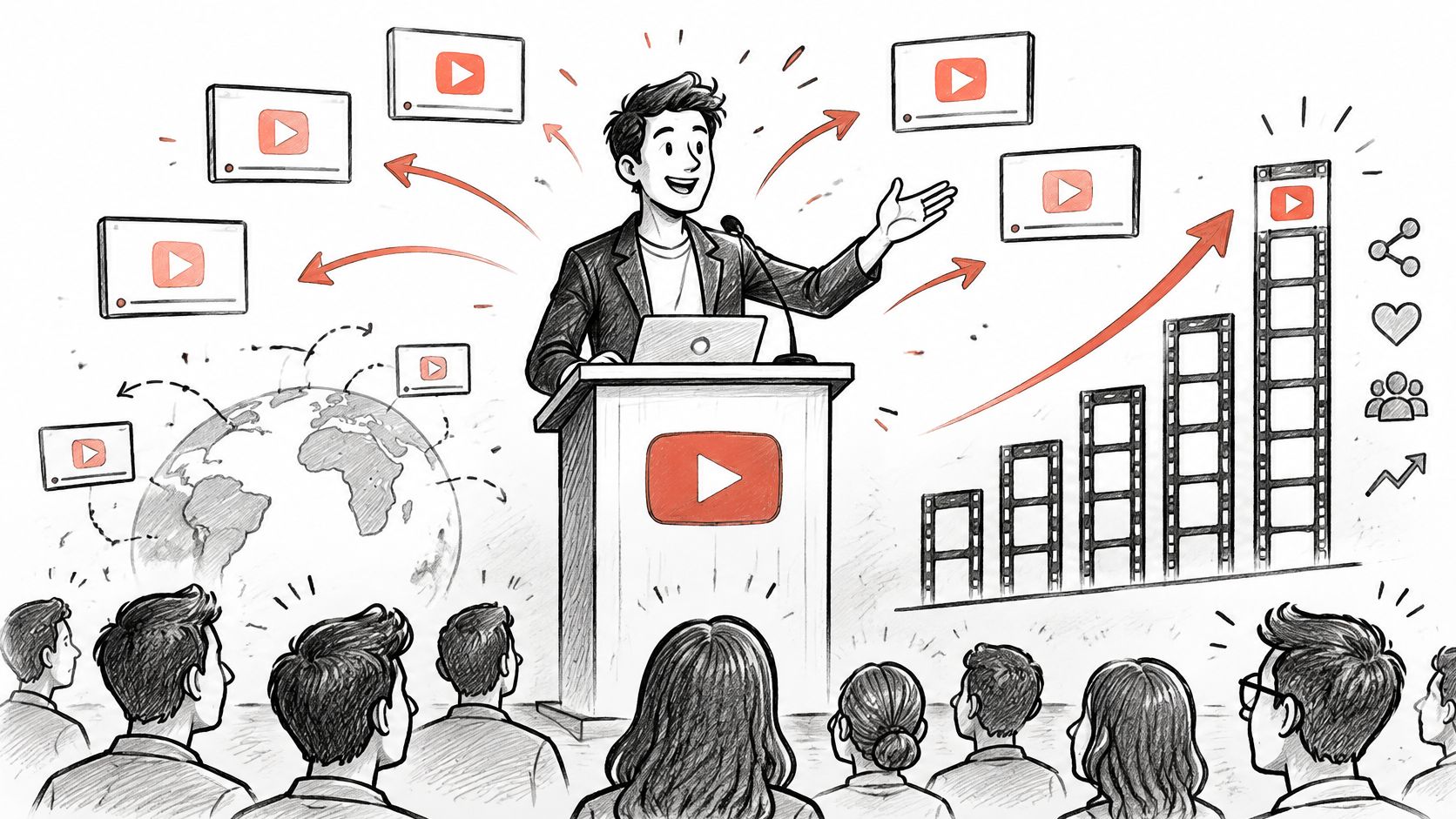
The illustration below captures those connected uses, presentation, distribution, and localization.
Automation still needs an editor
A finished-looking clip isn't necessarily a finished communication. The presenter might pronounce a product name incorrectly, pause in the wrong place, or deliver a cautious statement with an inappropriate smile.
Treat the generated video as a draft that needs review. Someone must approve the words, check the performance, and decide whether viewers could mistake the avatar for a real person giving personal testimony.
Practical rule: Automate the delivery, not responsibility for the message.
Avatar Types and What Each One Suits
| Avatar type | Setup needed | Realism | Best for | Main risk |
|---|---|---|---|---|
| Stock presenter | None, pick from a library | High for talking-head shots | Explainers, training, quick ads | Generic look; the same face may appear elsewhere |
| Custom avatar from your recording | Recorded footage with clean audio | Limited by capture quality and model | Channel host, consistent brand presenter | Consent and likeness records needed |
| Digital twin of a real person | Recording, voice sample, and written consent | High when setup is good | Scaling a known presenter's output | Impersonation and disclosure risk |
| Stylized or animated avatar | None or light setup | Deliberately nonphotorealistic | Faceless channels, children's content, gaming | Synthetic delivery may clash with the message |
| Non-human or 2D character | Character design | Illustrative rather than human-realistic | Music videos, mascots | Lip sync may drift on stylized faces |
Choose the type before choosing the tool. These categories overlap, especially custom avatars and digital twins, but they help separate appearance from intended use.
Ready-made hosts and recognizable people
A stock presenter suits a video whose information matters more than the host's identity. For an explainer about resetting an account password, a neutral library presenter may be enough. Check commercial-use permissions and consider whether sharing that face with unrelated brands would undermine your positioning.
A custom avatar makes sense when you want a recognizable channel host. Capture quality matters: muffled speech, inconsistent lighting, or obstructed facial features give the system poorer material to reproduce. Keep records of who authorized the likeness and how you may use it, even when the original recording features your own employee.
A digital twin emphasizes replication of a known individual. A founder's synthetic likeness may deliver approved announcements, but viewers could assume that person recorded, reviewed, or personally sent every message. Define who can generate content, who approves scripts, and when permission ends.
Characters that don't pretend to be people
Stylized avatars can fit gaming explainers or illustrated educational stories without pretending to be filmed humans. For children's content, review the script, emotional tone, and age suitability rather than assuming an animated appearance makes the output appropriate.
A non-human or 2D character suits a mascot or music project where visual identity matters more than human realism. Its mouth still needs to follow the voice convincingly within the chosen style. A floating mouth or changing facial proportions can distract even when nobody expects photorealism.
A convincing face isn't the same thing as an appropriate presenter.
For a trust-sensitive message, an openly fictional host can be a better editorial choice than a realistic stranger who appears to have personal knowledge they don't possess.
How an AI Avatar Video Gets Made Step by Step
Start with the message you want viewers to understand, not the avatar you find most impressive. A clear production sequence makes errors easier to trace because you can distinguish a writing problem from a voice, animation, or editing problem.
Build the spoken performance
Write for speech. Use short sentences and read them aloud before generating anything. Spoken text sets the rhythm of the performance, so dense clauses and unexplained abbreviations can produce awkward pacing. For a product tutorial, write the action first, then the explanation.
Choose the presenter. Select a library avatar, a custom recording, or an authorized digital twin according to the role. Check that the presenter's appearance and implied identity suit the message. A common mistake is choosing an expert-looking character before deciding whether the video involves expert advice.
Choose the voice. Compare preset voices using your actual script rather than a polished demo sentence. If you're cloning a voice, document the speaker's permission and permitted uses. Listen for misplaced emphasis, unnatural breaths, and a tone that conflicts with the subject.
Set language and pronunciation. Enter brand names, technical vocabulary, and abbreviations carefully. Use pronunciation controls or phonetic spellings where supported, then listen again. Don't assume that translating the script also fixes names, units, or culturally specific phrasing.
The infographic summarizes the broader workflow, with voice and language grouped into the input stage.
Assemble, inspect, and publish
Add the on-screen layer. Arrange backgrounds, product footage, captions, and name labels so they support the spoken explanation. Keep important controls and product details unobstructed. Decorative movement can make a tutorial harder to follow if viewers must watch the presenter and the interface simultaneously.
Render and inspect. Review the opening, the longest sentence, transitions, and pauses. Watch once at normal speed for overall credibility, then inspect suspicious moments closely. Don't approve the whole video because its opening looks polished.
Export the complete package. Save the video alongside reviewed captions and a transcript. Burned-in captions remain visible wherever the clip travels, while separate caption files offer playback flexibility where supported. Confirm that the exported file, not just the editor preview, contains the intended text.
Pronunciation setup and render review deserve particular attention. A correct script can still produce an incorrect spoken word, and a natural voice can still accompany poorly timed mouth movements. Keep those checks separate so you know what needs fixing.
Where Avatar Videos Work Best
Generative AI accounted for 22% of video-ad creative in 2024, according to Interactive Advertising Bureau reporting summarized by BotMemo's AI video statistics. That describes generative AI across advertising production, not the share containing avatars or proof that consumers prefer synthetic presenters.
Avatar videos belong within that broader production workflow, alongside generated scripts, voices, and visuals.
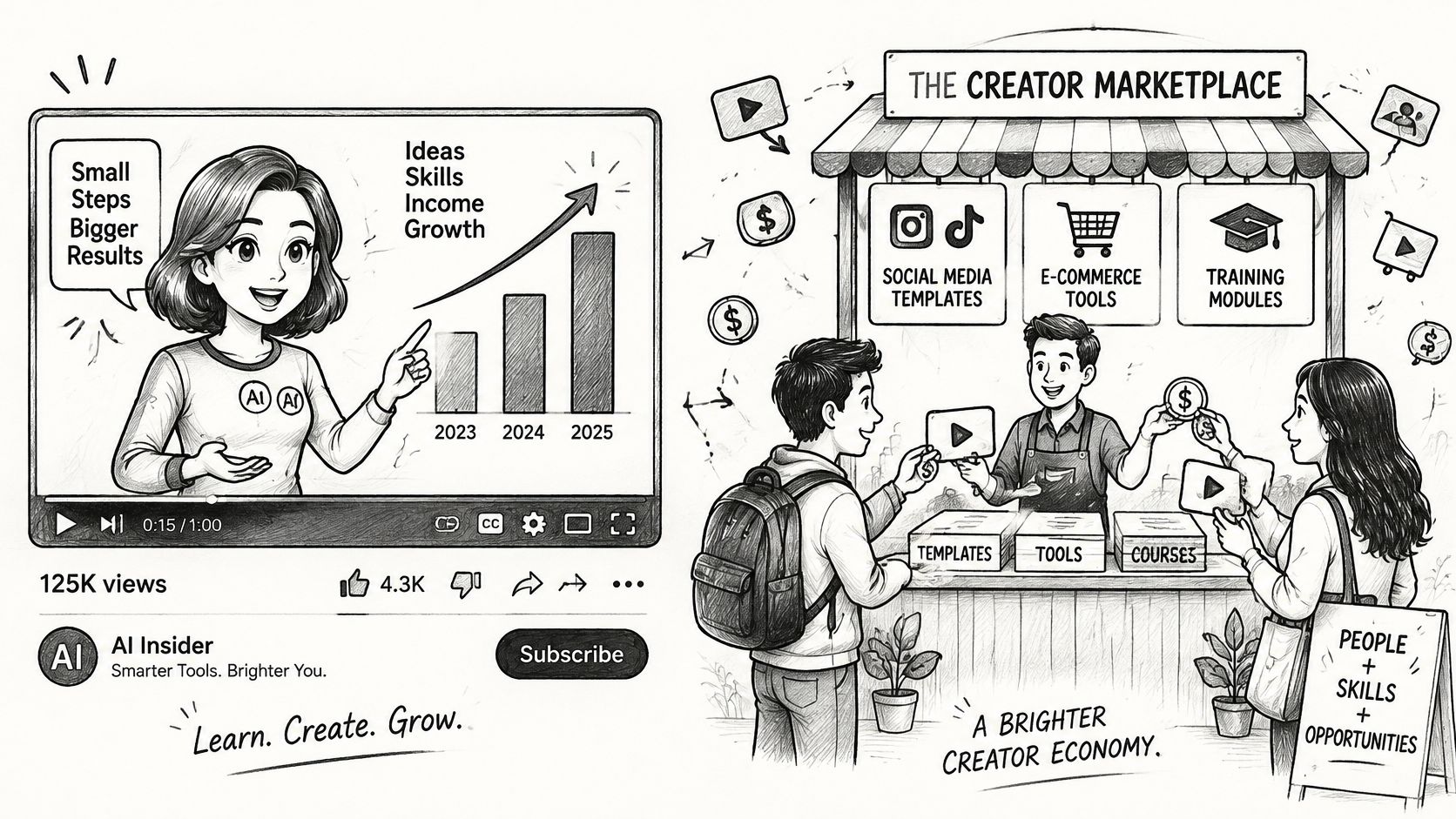
The useful question is what the presenter contributes. If viewers need a clear explanation that changes frequently, an avatar may help. If they need evidence that someone used a product, a generated face can't supply it.
Match the format to the task
The length guidance below is an editorial starting point, not a measured industry average.
| Use case | Typical length | Why an avatar fits | Watch for |
|---|---|---|---|
| Product explainers | Long enough to demonstrate the core action | Updates without reshoots | Factual errors spread fast |
| Training and onboarding | A self-contained lesson | Easy to revise and translate | Needs captions and pausable pacing |
| Sales outreach | A brief introduction and next step | Scales one message to many prospects | Feels deceptive without disclosure |
| Faceless social channels | A concise standalone clip | No camera time needed | Audience needs clear labeling |
| Music videos | Full track length | Visuals for songs without a performer | Artist likeness rights |
| Localized ads | A focused message and call to action | One presenter across languages | Lip sync must be checked per language |
Product explainers benefit when the avatar introduces a task and actual screen footage demonstrates it. Verify every instruction against the current product interface. Otherwise, generating replacement videos quickly distributes the same mistake more efficiently.
For training, divide material around learner actions rather than forcing an entire handbook into a talking-head monologue. Provide playback controls and let viewers revisit difficult instructions. In sales outreach, avoid scripting spontaneous-sounding remarks that imply the sender personally watched a prospect's work unless that happened.
For an additional video reference, use the embedded player below.
Separate entertainment from evidence
Faceless channels can use a recurring host to organize stories, but the underlying reporting still needs verification. For music videos, a character can provide visual continuity without suggesting that an actual artist performed on camera. Secure permission before reproducing a recognizable performer's face or voice.
For localized advertising, have a fluent reviewer assess meaning, tone, pronunciation, and visible speech together. A grammatically correct translation can still sound unnatural or make the offer unclear.
The safest starting project carries factual, easily checked information and leaves little room for a small mistake to cause harm.
How to Test Realism and Lip Sync Before You Buy
| Test | How to run it | Failure to look for |
|---|---|---|
| Plosive and fricative speech | Include words containing p, b, t, f, and s sounds | Mouth closes or opens late or early |
| Fast and paused speech | Read the same passage naturally, faster, and with deliberate pauses | Drift after pauses or cuts |
| Head turn | Generate a noticeable turn toward a profile view, if supported | Face warps or identity shifts |
| Long uninterrupted clip | Use a sustained passage without edits | Sync or expression degrades over time |
| Repeated renders | Generate the identical script repeatedly | Inconsistent mouth motion or face |
| Target language | Render your actual publishing language | Audio and mouth shapes don't match |
Inspect questionable moments frame by frame, but also watch at normal playback speed. Slow inspection helps locate defects; ordinary playback tells you whether those defects distract from the message.
A comparison of audio-driven talking-head systems evaluates visual quality, lip-audio synchronization, and head-movement naturalness separately. That distinction matters: a sharp face can remain unusable when its mouth leads or lags the voice.
Give every test a specific job
For speech sounds, use ordinary phrases with visible lip actions, such as a request to pack a blue bag or find a favorite photo. Look for convincing closures on p and b sounds and appropriate lip-to-teeth movement around f sounds. These checks reveal timing and articulation problems, not whether the presenter looks human overall.
With fast and paused delivery, listen around the moment speech resumes. An avatar may begin well but lose alignment after silence or an edit. Don't speed up a voice beyond the pace your audience can comfortably follow merely to stress-test the animation.
A head turn checks whether facial proportions and identity survive movement. If the tool can't produce turns, record that as a capability limit rather than treating a static shot as a successful motion test.
An uninterrupted passage tests continuity. Watch for repetitive nodding, frozen expressions, changing teeth, or a smile that persists through an inappropriate sentence.
Judge reliability, not the best sample
Repeated generation reveals whether an attractive demo represents dependable output or a lucky result. The target-language test checks the version you'll publish, not the vendor's strongest demonstration language.
Use clean audio with little background noise when supplying a recording. Then score appearance, synchronization, identity, and motion separately, with notes describing the defect. A single overall rating hides which compromise you're accepting.
Buying safeguard: Test your own script in the trial. A vendor's showcase demonstrates what is possible, not what your account will reliably produce.
When considering Revid, our collection of Product Hunt reviews links to original user comments. Use those comments to identify questions for your trial, not as substitutes for examining your own export.
Trust, Disclosure and Accessibility Checks
Disclosure doesn't automatically increase credibility. Noovid's overview of AI advertising and human-creator research describes consumers struggling to identify AI-made advertising while also reporting that disclosure can reduce perceived credibility and purchase interest. That isn't a reason to hide the avatar. It's a reason to stop treating transparency as a guaranteed conversion tactic.
The presenter's role matters more than whether its skin looks realistic.
| Video role | Avatar suitability | Condition |
|---|---|---|
| Factual product information | Suits when labeled | Prominent on-screen label and caption note |
| Internal training | Suits when labeled | Captions, transcript, and pausable pacing |
| Testimonials, reviews, expert advice | Use a real person as an editorial safeguard | No synthetic presenter standing in for personal experience or expertise |
| Impersonating a customer, expert, employee, or influencer | Avoid without written consent and disclosure | High authenticity and compliance risk |
| Regulated categories such as health, money, or safety | Check local advertising rules | Human review for consequential information |
The recommendation to use real people for testimony and expert advice is a buyer-safety rule, not a statement that every jurisdiction imposes the same legal requirement. Consent also doesn't make a fabricated customer experience truthful.
Make the disclosure fit the viewing context
Use a prominent on-screen label when viewers could reasonably mistake the presenter for a recorded person. A caption or description note can add context, while platform metadata can provide another disclosure layer where supported. Don't rely on metadata alone when viewers may encounter a downloaded or reposted clip.
For sensitive categories, review the claims and applicable advertising rules before publication. Avoid assigning credentials, lived experience, or employment status to a fictional presenter.
Check inclusion across the workflow
An ACM study of disabled creators in Nairobi examined end-to-end video-creation practices, reinforcing why accessibility needs attention throughout production rather than only at caption generation.
- Accurate text: Review captions and transcripts against the final spoken audio.
- Readable presentation: Check lip sync, text contrast, placement, and caption visibility.
- Usable pacing: Allow time to read instructions and understand demonstrations without sound.
- Accessible editing: Test keyboard and screen-reader access where your team needs them, including pronunciation and timing corrections.
- Consequential information: Publish a human-reviewed version for health, financial, or safety instructions.
Automation alone doesn't guarantee inclusion. Also check whether a tool's sign-language options, if offered, are suitable for the intended audience rather than assuming animated signing is accurate.
Our Trustpilot review collection provides original-review links for checking individual accounts of Revid. Treat usability comments as prompts for investigation, especially when your accessibility requirements differ from the reviewer's.
Choosing a Tool and Running Your First Test
Compare vendors against deliverables, not their most polished avatar. Keep a simple scorecard and attach an exported sample to each assessment so you're comparing evidence rather than remembering which demo impressed you.
Inspect the constraints before the subscription
- Resolution and length limits: Confirm the export settings and clip limits available on the plan you're considering.
- Custom-avatar permissions: Read the recording, identity-verification, consent, deletion, and permitted-use terms.
- Language controls: Test pronunciation editing, phonetic input, and your actual publishing language.
- Accessible exports: Confirm that captions and transcripts can leave the editor in usable formats.
- Cost per finished minute: Include discarded renders, revisions, and any separate voice or avatar charges in your calculation.
Revid lets users type a prompt and receive a script, visuals, and voice in one generation. Score that workflow against the same criteria rather than assuming prompt-to-video generation guarantees the particular avatar controls you need.
We run Revid Reviews, so our site isn't an independent reviewer of Revid. We collect public reviews with links to their originals, allowing you to examine individual praise and complaints in context.
Compare audience outcomes fairly
Create an avatar version and a human-presented version of the same short script. Keep the offer, supporting visuals, captions, audience, placement, and call to action consistent wherever possible. Preserve the appropriate synthetic-presenter disclosure rather than removing it to make the comparison look cleaner.
Compare retention, click-through, conversion, and refund behavior, not just comments about whether the face looks fake. Avoid declaring a winner from isolated reactions or a small handful of purchases.
Start with a real script in a trial. Run the quality tests, apply the role-specific disclosure decision, and complete the accessibility checks before paying for a plan.
Revid Reviews collects public Revid feedback from Trustpilot, X, and Product Hunt, with links to the original reviews. Visit Revid Reviews to investigate reported strengths and complaints, then turn those findings into specific checks for your AI avatar video trial.