You've got an idea for a vertical video, a blank editing timeline, and no footage. Say you want a short clip promoting a new coffee blend before lunch. An AI tool can turn your description into a convincing café scene, but halfway through, the cup changes shape and the presenter appears to endorse something nobody agreed to. Getting a video is only the beginning. Getting one you can confidently publish requires a different set of checks.
Table of Contents
- What AI Generated Videos Are and Why Creators Use Them
- The Main Types of AI Generated Videos Compared
- How AI Generated Videos Are Made, Step by Step
- How to Judge Quality Before You Publish
- Legal and Ethical Risk by Use Case
- Disclosure Labels That Keep Viewers Trusting You
- Creator Examples Across Channels and Campaigns
- Confirm Your Use Case and Records Before You Publish
What AI Generated Videos Are and Why Creators Use Them
AI generated videos contain moving imagery that a model produces from a written prompt, a still image, or existing footage, rather than recording the entire scene with a camera. Think of a virtual film crew building a set from your written brief. You describe the café, the light, and the camera movement, and the system produces its interpretation.
That analogy has a limit: the model isn't constructing a dependable physical set. It can make an attractive shot without keeping every object stable throughout it.
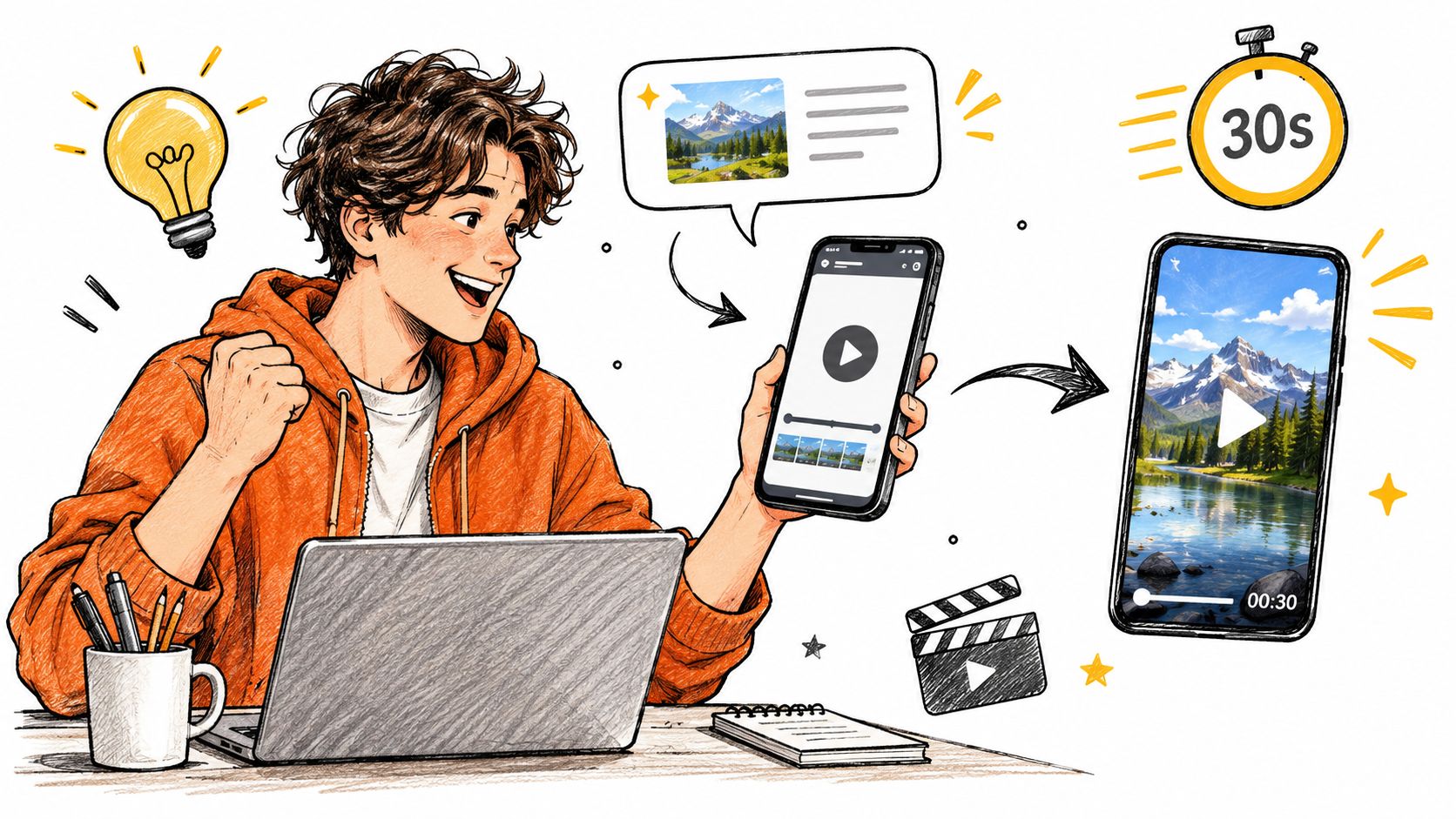
A prompt can begin a workflow that fits on a laptop or phone.
What you supply and what comes back
The starting material determines how much the model must invent:
- Text input: You describe a subject, setting, action, and visual style.
- Image input: You supply a visual reference and describe how it should move.
- Footage input: You provide an existing performance or camera movement for the system to transform.
The output may be a standalone shot or an assembled video with narration, music, and captions. Those are different deliverables. A tool that edits stock footage around a script isn't necessarily generating new moving imagery.
Creators use these workflows to visualize ideas without organizing every element of a shoot. A musician might need an imaginary scene; an educator might need a visual analogy; a small business might need alternative openings for an ad.
Why buyers need more than a feature list
The broader commercial category is expanding: Grand View Research's generative-AI content-creation market estimate valued that market at USD 14.8 billion in 2024, with a projection of USD 80.1 billion by 2030. Those figures cover more than video, so they aren't a measure of video-tool adoption alone.
For a buyer, the useful questions are practical: Which type of video do you need? How will you make it? What must you verify before publishing? A polished demonstration doesn't answer those questions for your own footage, audience, or rights situation.
The Main Types of AI Generated Videos Compared
| Type | You provide | You get | Best for | Main limit |
|---|---|---|---|---|
| Text-to-video | A written prompt | A generated clip | Concept footage and b-roll | Short clips; subject consistency drifts over time |
| Image-to-video | A still image plus a motion prompt | An animated shot | Product motion and animating key art | Identity can drift from the source image |
| AI avatar presenter | A script and a chosen or cloned voice | A talking-head video | Explainers, training and faceless channels | Lip-sync and gestures can look stiff; disclosure often needed |
| Video-to-video restyling | Existing footage and a style prompt | Restyled footage with original motion | Changing the look of real clips | Output quality depends on the source clip |
| Template-based assembly | A script and a stock or generated media library | An edited short-form video | Faceless shorts with captions and voiceover | Footage can feel generic and less original |
Text-to-video gives the model the most room to invent. It's useful for a misty mountain path or an imaginary workshop, but less dependable when a precisely branded object must survive a complicated action.
Image-to-video begins with something you can approve before motion starts. A still of your packaging establishes its initial appearance, although it doesn't guarantee the lettering or silhouette will survive a rotation.
An AI avatar presenter makes the speaker the organizing element. Choose this when the explanation matters more than cinematic action, and inspect mouth movements, pauses, and gestures rather than judging only facial realism.
Video-to-video restyling uses recorded motion as its scaffold. That can give you a more deliberate performance, but it won't automatically repair an obscured hand, confusing composition, or poorly captured movement.
With template-based assembly, the system behaves more like an editor than a virtual camera. It selects material, places captions, and aligns narration, which can be useful when speed and a repeatable layout matter most.
Choose the constraint you can accept
More reference material generally means less invention from scratch. That's a trade-off, not a disadvantage: a real performance can supply timing that a prompt struggles to specify, while a reference image can establish a character's appearance.
Selection rule: Choose the input that already contains the part you can't afford to get wrong.
A finished short might combine an avatar introduction, generated b-roll, and a stock-footage closing shot. Longer projects are usually easier to manage as assembled shots than as an uninterrupted generation.
Before choosing a tool, decide whether you primarily need a person on screen, original motion, or fast assembly. Then test the relevant workflow, not an unrelated showcase clip.
How AI Generated Videos Are Made, Step by Step
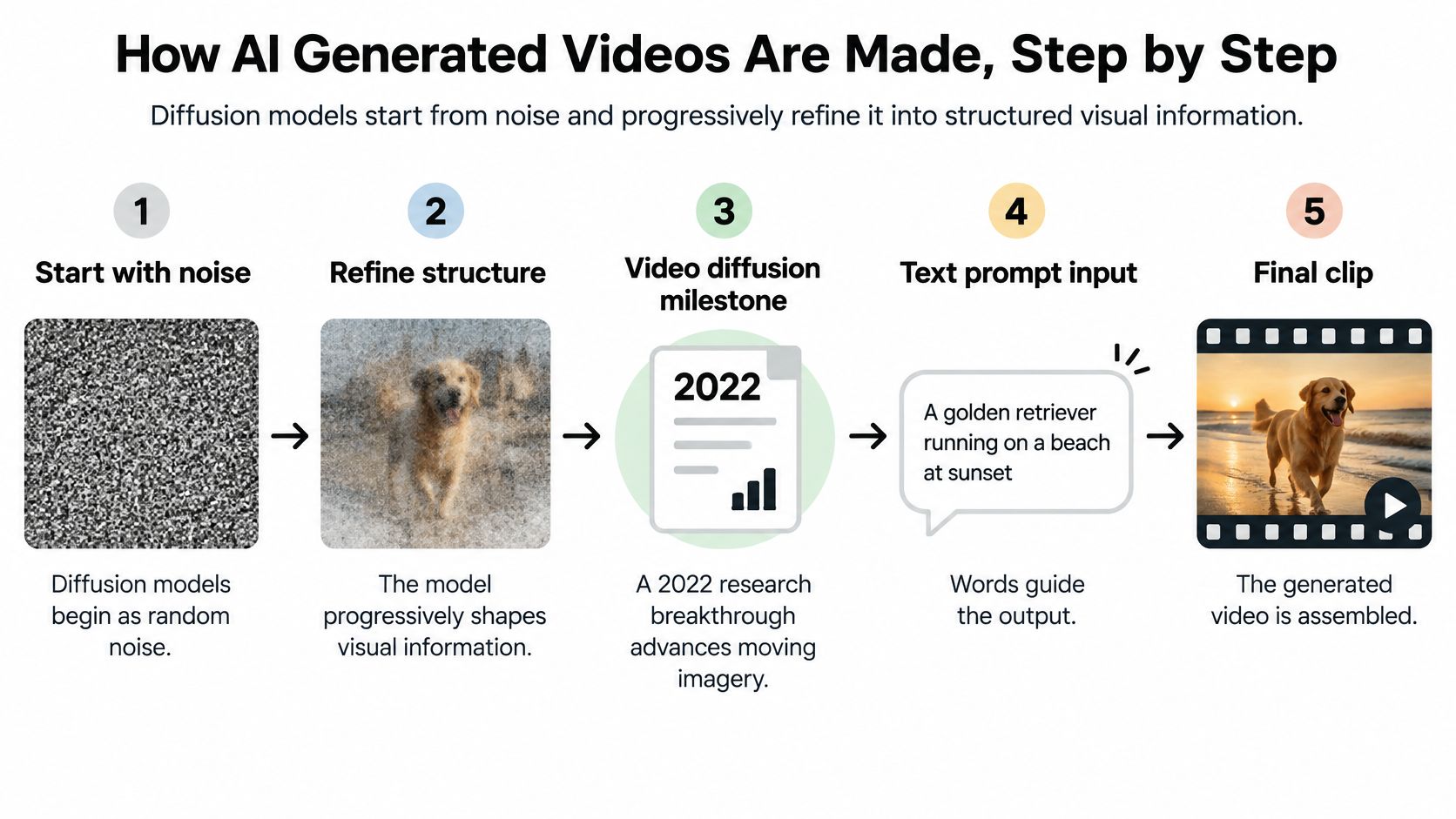
Diffusion models begin with noise and progressively refine it into structured visual information. A survey of video-generation development describes the 2022 video-diffusion milestone and a February 2024 demonstration of clips lasting up to one minute, using a Diffusion Transformer and compressed spacetime patches to process appearance and motion together. Those demonstration lengths weren't a universal default for everyday tools.
In plain language, the model works with information about a sequence, not just an isolated picture. That helps explain why a movement can look convincing overall while an object's contact, position, or cause-and-effect relationship still breaks down.
The underlying process starts with refinement, not a hidden camera recording a real scene.
Build a sequence you can actually edit
Write a script and shot list. Give each shot a clear purpose, such as establishing the setting, showing the product, or explaining an action. Without that list, it's easy to collect beautiful footage that doesn't communicate the message.
Choose the input for each shot. Use a prompt for an invented environment, an approved image for a specific visual design, or footage when the performance matters. Don't ask text alone to preserve details you could supply directly.
Generate alternative short takes. Keep the action manageable, then compare the results rather than assuming the first output is usable. A long prompt containing several events can produce transitions you never requested.
Create or add narration and music. Read the script aloud before committing to the edit, and leave room for breaths and important visual moments. A common mistake is choosing a voice track that finishes its explanation after the relevant image has disappeared.
Assemble the shots in an editor. Cut around the strongest actions and remove weak openings or endings. If a hand becomes distorted at the end of an otherwise useful shot, shorten the shot rather than preserving it because you generated it.
Review the moving image before export. Check continuity, text, sound, and the relationship between adjacent shots. An attractive still frame can hide a distracting change during playback.
Export and retain the working materials. Save the original generations alongside the edit and final export. Keep enough information to identify which prompt and reference produced each selected shot.
What a usable first pass looks like
A first pass should communicate the intended idea from beginning to end, even if its pacing still needs work. The voice should match the visuals, the shots should connect logically, and no essential action should rely on a visibly broken generation.
It doesn't need the most elaborate camera movement available. A restrained product shot that preserves the packaging is more useful than a spectacular rotation that invents a new label.
Treat generation as footage acquisition, not automatic approval. You're still responsible for deciding which material belongs in the finished video.
How to Judge Quality Before You Publish
| Quality check | What to verify | Failure to watch for |
|---|---|---|
| Object consistency | Subject shape, clothing and features stay the same across frames | Face, product or outfit changes mid-clip |
| Background consistency | Scene stays stable when the camera moves | Walls, streets or furniture drift or reshape |
| Motion smoothness | Movement is continuous from frame to frame | Flicker, jitter or stutter in motion |
| Amount of real movement | The clip shows meaningful motion, not a near-static image | Near-static clip or whole-frame morphing |
| Physical plausibility | Objects keep correct size, contact and spatial relationships | Hands merge, objects float or shadows point the wrong way |
Temporal consistency means that things remain coherent as time passes. A jacket shouldn't acquire a different collar when its wearer turns, and a doorway shouldn't move just because the camera pans.
The VBench evaluation framework assesses 16 quality dimensions, using approaches including DINO for object consistency, CLIP for background consistency, and optical-flow analysis for motion. You don't need to run those technical checks to benefit from the underlying principle: judge separate failure modes rather than assigning the clip a vague realism score.
Test an action, not a thumbnail
Use a prompt that requires the subject to remain identifiable during movement. For example, ask a fictional presenter to turn toward a desk and place a notebook beside a lamp. That tests identity, contact, and spatial relationships in a way a static portrait doesn't.
Watch the output at normal speed first. Then step through the turn, the hand reaching the desk, and the moment the notebook makes contact.
- Subject: Compare the face, silhouette, clothing, and distinctive details before and after movement.
- Environment: Check that furniture and architectural edges remain attached to the same places.
- Camera: Follow its path and look for sudden changes in perspective.
- Lighting: Check whether shadows and highlights change in a way the scene supports.
- Sound: Listen for clipped words, unnatural pauses, and effects that don't match visible events.
A nearly static result can appear stable because the model avoided the requested action. That's not the same as successfully generating motion.
Separate defects from publishing failures
The intended use determines whether a flaw is tolerable. Slight texture shimmer in a distant fantasy scene might survive a music-video edit. A bottle changing size during a product demonstration shouldn't.
UGC-style ads deserve particular scrutiny because a familiar, informal presentation can imply a real person's experience. A visually stable synthetic speaker still shouldn't be presented as a genuine customer unless that representation is accurate and authorized.
A defect becomes a deal-breaker when it changes what the viewer believes about the product, person, or event.
Keep the short shots that remain stable through their useful action. Reject or regenerate material when editing would merely conceal a material misrepresentation, rather than remove an incidental visual error.
Legal and Ethical Risk by Use Case
| Use case | Example | Risk level | What to keep or avoid |
|---|---|---|---|
| Fictional characters or stylized animation | Original animated mascot | Low | Keep prompts and source assets |
| Clearly labeled stylized ads | Abstract product visuals marked as AI generated | Low | Keep the label and the generation record |
| AI voiceover on your own script | Narration you wrote and approved | Medium | Keep the script and the voice tool license |
| Synthetic presenter | Avatar teaching a lesson | Medium | Disclose the avatar and keep its license |
| Stock footage assembled with AI editing | Licensed clips in a montage | Medium | Keep stock license receipts |
| Cloned voice of a real person | Narration in a named person's voice | High | Written consent and provenance records |
| Real person's likeness or celebrity resemblance | Face swapped into an ad | High | Consent from that person; never imply an endorsement |
| Political claims, medical advice or fake testimonials | Ad claiming a cure or an invented customer quote | High | Avoid deceptive or unsupported claims; seek appropriate review |
These are practical screening categories, not legal classifications. An original fictional mascot can still create problems if you supply someone else's protected artwork as its reference.
Commercial use allowed describes permission under a tool's terms. It doesn't automatically settle likeness rights, voice consent, music licensing, misleading endorsements, platform obligations, or copyright protection for the finished work.
Permission and provenance answer different questions
Permission concerns what you're allowed to use. Provenance concerns how an asset was made and changed. Neither substitutes for the other.
In Adobe's 2025 Creators' Toolkit survey, which surveyed more than 16,000 creators across eight countries, 69% were concerned about their work being used to train AI without permission. That concern is a reason to examine source-asset rights and available training information, not evidence that any particular output infringes someone's rights.
For a cloned voice, obtain written permission covering the intended use, not merely permission to possess a recording. For stock footage, check whether the license covers the campaign and whether restrictions apply to sensitive portrayals.
Keep evidence that survives an export
A multimodal provenance benchmark found that no individual provenance scheme reached its required sufficiency threshold under the tested adversarial conditions. Its findings support combining signals rather than treating a detector or watermark as conclusive proof.
Where supported, C2PA provenance can carry signed records of an asset's history. Preserve that metadata, but don't describe it as proof that every depicted claim is true or every necessary permission exists.
For lower-risk fictional work, retain the creation inputs and source assets. For synthetic presenters and licensed voices, add the relevant terms and approvals. Real-person uses need stronger consent documentation and, where appropriate, a rights review.
Rules vary by country, distribution platform, and use. A disclosure doesn't legalize an unauthorized likeness, and a realistic render doesn't turn an invented testimonial into a genuine one.
Disclosure Labels That Keep Viewers Trusting You
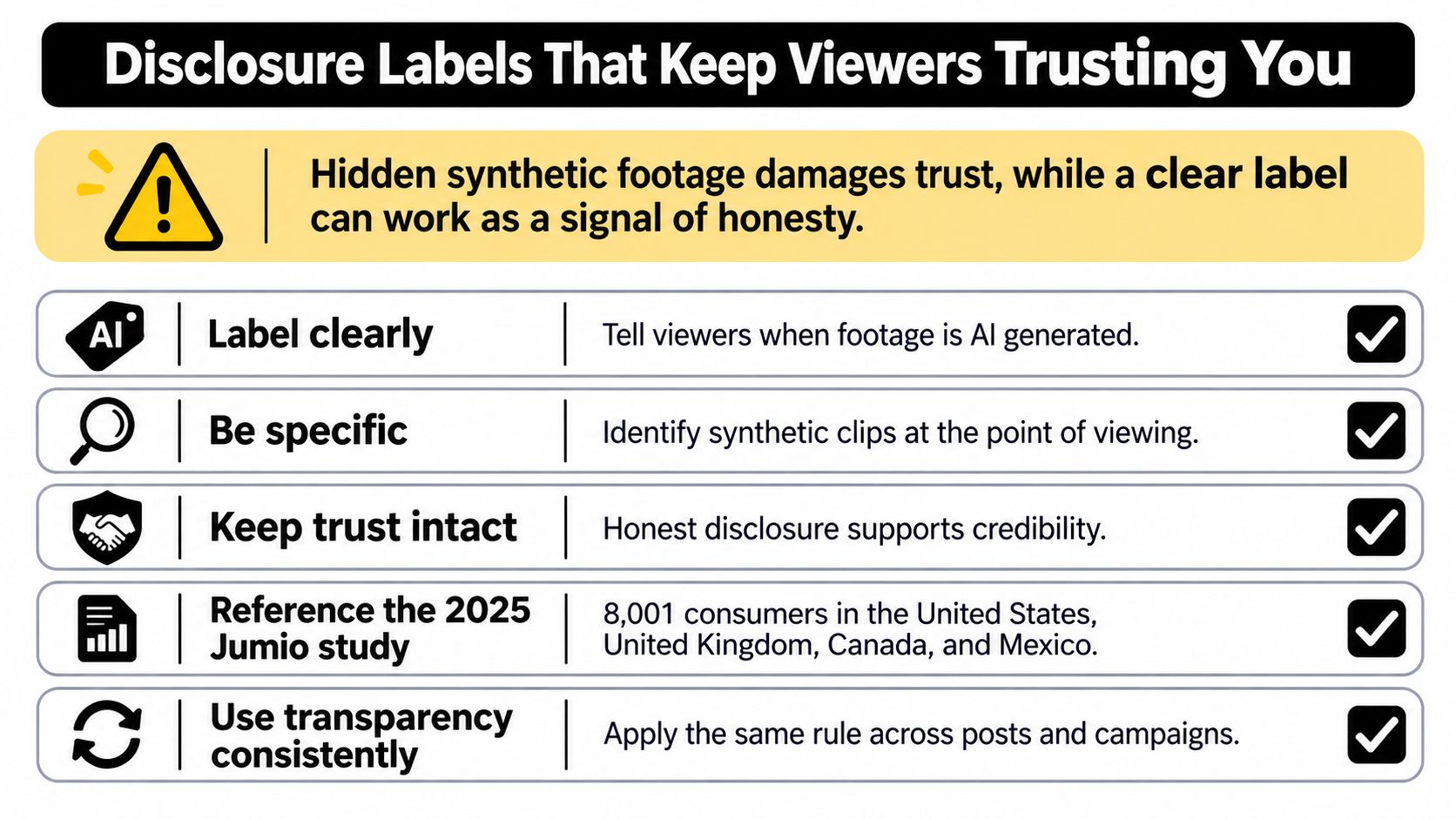
Hidden synthetic footage can undermine trust when viewers discover it later. A clear label gives them context before they mistake a generated scene for a recording.
The 2025 Jumio consumer-trust study surveyed 8,001 consumers across the United States, United Kingdom, Singapore, and Mexico, finding that 69% felt more skeptical of online content because of AI-generated fraud. That doesn't prove a label will improve conversions, but it makes concealment a poor foundation for audience trust.
| Label wording | Use when | Viewer effect |
|---|---|---|
| AI-generated scene | Footage is materially synthetic | Specific and reads as honest |
| Made with AI tools | AI helped across the whole video | Broad; fits assistance-heavy edits |
| Edited | Only minor cuts or colour changes | Can read as concealment when AI scenes exist |
These viewer effects are practical expectations, not measured guarantees. Choose wording that answers the viewer's likely question: What part of this should I not interpret as a real recording?
Label the material change
Script suggestions, automatic captions, and ordinary cuts aren't equivalent to generating a person saying something they never said. Your disclosure should distinguish production assistance from synthetic evidence.
- Generated scene: Identify footage that depicts an invented place, event, demonstration, or performance.
- Cloned narration: Explain that the voice is synthetic, and don't let the label imply consent you haven't obtained.
- Face replacement: Disclose the altered likeness at the point where viewers encounter it.
- Generated music: Identify synthetic music when its origin or performer identity matters to the presentation.
- Stock assembly: Don't label licensed camera footage as generated merely because AI selected the clips.
Apply the distinction consistently across posts and campaigns.
Put the explanation where viewers need it
For a realistic synthetic scene, use a readable on-screen label near its introduction, supported by a caption or description line. Don't bury the explanation below unrelated hashtags or assume that viewers will open the description.
On YouTube Shorts, TikTok, and Instagram Reels, check both the current upload disclosure controls and how the label appears during playback. For paid ads and sponsored UGC, synthetic-content disclosure doesn't replace the applicable advertising disclosure.
A faceless channel can identify synthetic narration without explaining every editing operation. A music video can describe its visuals as generated while separately crediting the musician.
Be specific without making the label a technical manual. The purpose is to prevent a mistaken belief, not to list every software feature used.
Creator Examples Across Channels and Campaigns
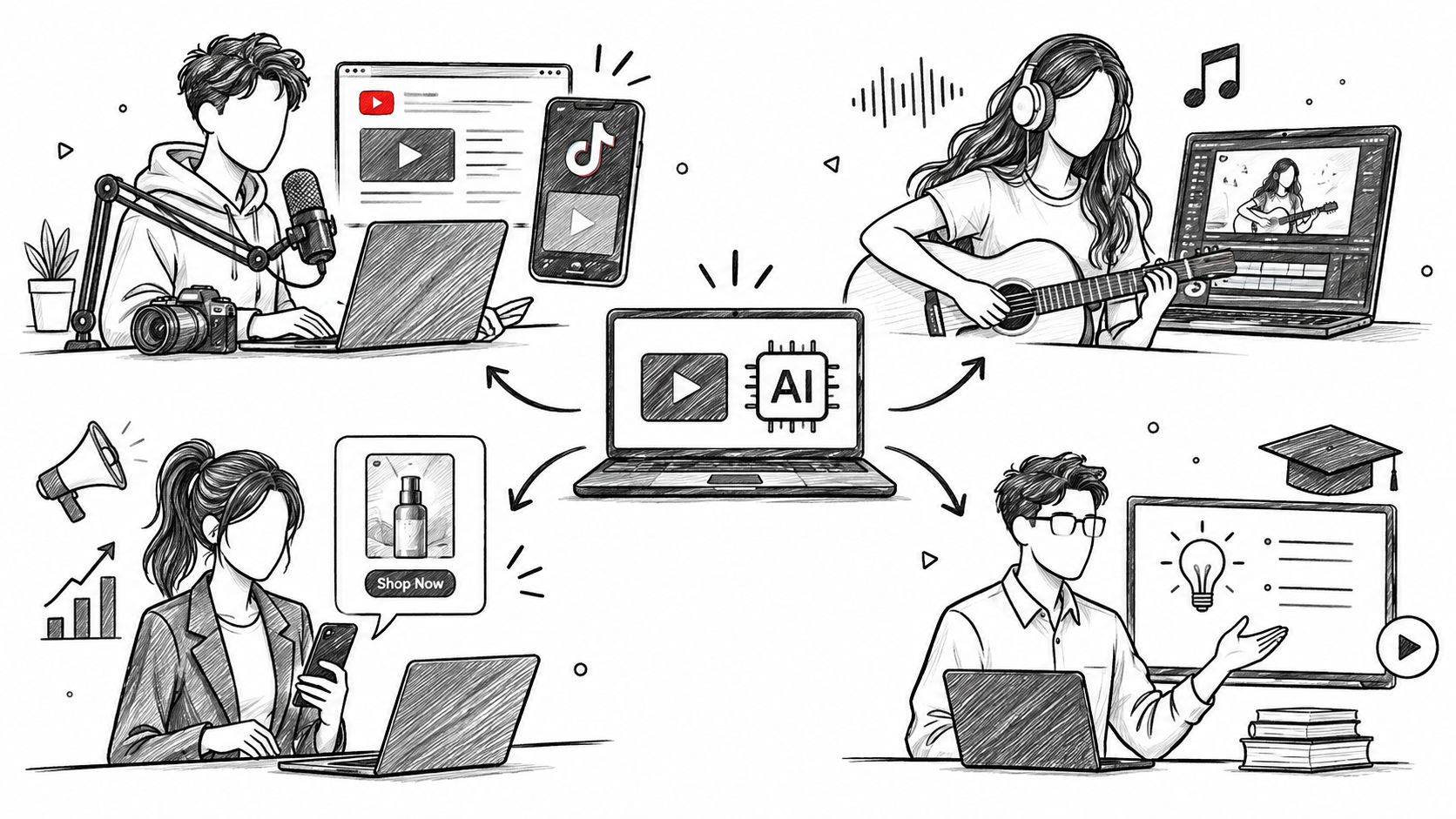
A faceless-channel owner might build a recurring science format. A musician might turn a song's imagery into moving scenes, while a marketer tests an illustrated product concept and an educator demonstrates a difficult idea.
Those creators need different outputs, even when they begin with the same prompt box.
What creator comments can tell you
Our site is run by the Revid team and collects public reviews from Trustpilot, X, and Product Hunt. The following comments are self-reported anecdotes, not independent tests or typical-results promises.
Magnus Bergman, a musician in Sweden reviewing on Trustpilot, wrote:
“Absolutely the best AI video generator for my music.”
That expresses satisfaction with his use case. It doesn't establish that every song will receive accurate timing, suitable imagery, or consistent characters.
Andrew Mewborn wrote on Product Hunt, “Create 10 videos in about 30 minutes. Insane what you can do with this thing.” That's a report about his production experience, not a guaranteed throughput rate or a measure of publishing quality.
Justin Lord, @Justin_lords on X, wrote, “The channel went from dead to growing in one week. If you're still spending hours editing manually you're doing it wrong.” The comment doesn't establish what caused the growth or whether it continued.
The embedded video provides another format to examine with your own production checklist.
Turn inspiration into a useful test
For a faceless channel, try a repeatable structure with a clear opening question, explanation, and conclusion. Measure usable output and audience retention, not just how many drafts you can generate.
A musician should test whether visual changes support the song's phrasing. An impressive scene that changes at the wrong moment may be less useful than a simpler shot with the right timing.
For UGC-style advertising, separate a fictional presenter from a genuine customer account. For education, verify the explanation independently, especially when a generated diagram looks authoritative.
The transferable pattern is straightforward: choose a repeatable format, define a meaningful measure, and retain a human review step. Count publishable videos, not merely completed renders, and include the time spent correcting narration, continuity, and rights issues.
Confirm Your Use Case and Records Before You Publish
Before generating a video, match the planned use to its risks. Choose disclosure wording that accurately identifies synthetic elements, and pause high-risk uses of real people until you have written consent or an appropriate rights review.
A licensed, convincing avatar doesn't validate claims in its script. Permission to use someone's voice also doesn't authorize an invented endorsement. Keep the relevant approval and source records close to the assets they cover.
Create a record for each project
Keep these materials together:
- Original generation: Save the unedited generated file, not only the final social-media export.
- Generation details: Record the prompt, tool, model version where available, and selected settings.
- Source assets: Retain reference images, footage, audio, licenses, and stock receipts.
- Consent records: Store permissions for any identifiable person's voice or likeness.
- Editing history: Log substantive changes, including AI-assisted cuts, captions, replacements, and audio edits.
- Final export: Preserve available metadata and save the version you published.
Name files so each published shot can be traced to its source and approval. If a generated face changes between scenes or a clip flickers, the original file and editing history help pinpoint where the problem entered the workflow.
Verify the workflow before committing
Revid lets users type a prompt and receive a script, visuals, and voice in one generation. Treat that output as a draft: check identity consistency, visual stability, narration, and rights before publishing.
For product claims, compare the information on Revid Reviews with the original reviews linked there and the tool's current terms. Check the platform and country requirements that apply to your use, especially for advertising, sensitive claims, or recognizable people.
Your next step: Pick a use case, draft its disclosure line, and create a records folder before generating the first clip. That preparation makes it easier to assess the video as a publishable asset, rather than judging it only by an impressive preview.
Revid Reviews collects public creator reviews with links to their originals and publishes buyer guides about workflows, limitations, and common purchasing questions. Read reviews relevant to your planned video, then use the quality checks and records checklist to assess your first draft.