The track is done, the date on the calendar is two weeks out, and nobody is booking an animator. Music video is still one of the formats that earns more attention than its share of uploads. An analysis of public YouTube videos, reported by Mark Studios from Pex's index, put the Music category at about 5% of videos in 2018 while it drew 20% of views, then 22% of views in 2019. Those are historical platform estimates for the whole Music category, not lyric videos, and they are not current totals. They still explain why a readable on-screen lyric cut is worth making before release day.
Table of Contents
- What an AI Lyric Video Maker Needs Before You Start
- Choosing an AI Lyric Video Maker
- How to Make an AI Lyric Video in Five Steps
- Matching Visuals and Frames to the Song
- Syncing Lyrics and Fixing Common Errors
- Confirm Rights Before You Publish Your Video
What an AI Lyric Video Maker Needs Before You Start
An AI lyric video maker takes the finished song, a lyric sheet, and a short visual brief, then builds background scenes and places the words against the vocal. It will not invent a cleared master or a correct chorus label you never wrote down.
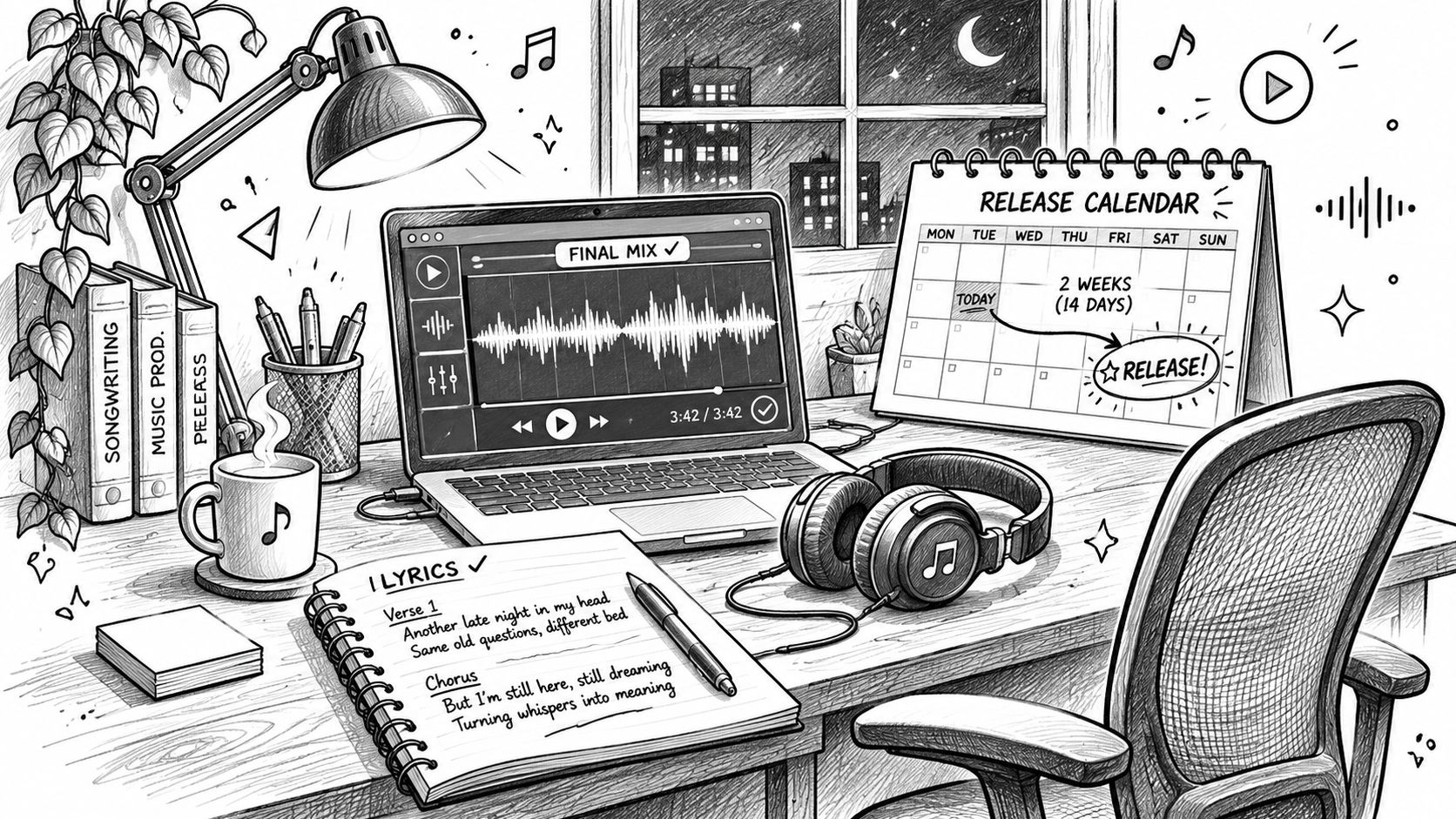
Have these ready before the first generation.
- Final mixed audio as WAV or MP3.
- Lyrics with verse and chorus labels.
- A short visual brief covering mood, colour, and era.
- A note on who owns the song and the lyrics.
- Target platforms, 16:9 for YouTube and 9:16 for Shorts, TikTok, or Reels, so the frame is set before any scene exists.
Adobe's 2025 Creator Toolkit Report surveyed more than 16,000 creators and found 86% actively use creative generative AI, while 52% use it to generate new assets such as images and video. That is creative work in general, not proof that 86% already make lyric videos. 81% said generative AI helps them produce content they otherwise could not have made. A first session can yield a usable draft in a few hours. Timing and type still need a human pass, which is what the checklist and procedure below are for.
Choosing an AI Lyric Video Maker
I would ignore the longest feature list and score the tool on five jobs it has to do with your file.
Audio in. It should take the final WAV or MP3 and report the file length, so you can compare that length with the lyric duration before you waste a full render.
Phrase control. You need to paste verse and chorus labels and edit each line's start and end by hand. Automatic alignment on sung vocals is a first guess, not a finish.
A locked look. One reference image or a fixed palette should hold across scenes. Character drift, where the singer's face changes every eight seconds, is one of the faults I would reject a tool for.
Export presets. You want 16:9 and 9:16, text kept inside a safe area, and a short preview render before the full run.
Commercial terms. Read the licence for the export and for every generated visual before you commit. A "commercial use" badge is not the rights check in the last section.
Run each shortlisted tool on a 30-second clip from your own song. Judge timing accuracy, whether the words stay readable on a phone, and how many retries a usable scene took. Keep the tool that needs the fewest manual fixes for your genre.
Wistia's State of Video Report found that 41% of brands used AI for video creation in 2025, up from 18% in 2024, from a set of more than 14 million videos and a survey of 1,300 professionals. That is brand video, not songs. It is still a reason to treat export settings and licence language as buying criteria, not extras. Revid is one generator people use for short-form on TikTok, YouTube Shorts, and Instagram Reels, including a music-to-video path. The same test clip should decide it, not the marketing page.
How to Make an AI Lyric Video in Five Steps
The picture below is the order I would follow. Each step exists because skipping it shows up later as drift, a repeated chorus on the wrong bar, or a static frame.
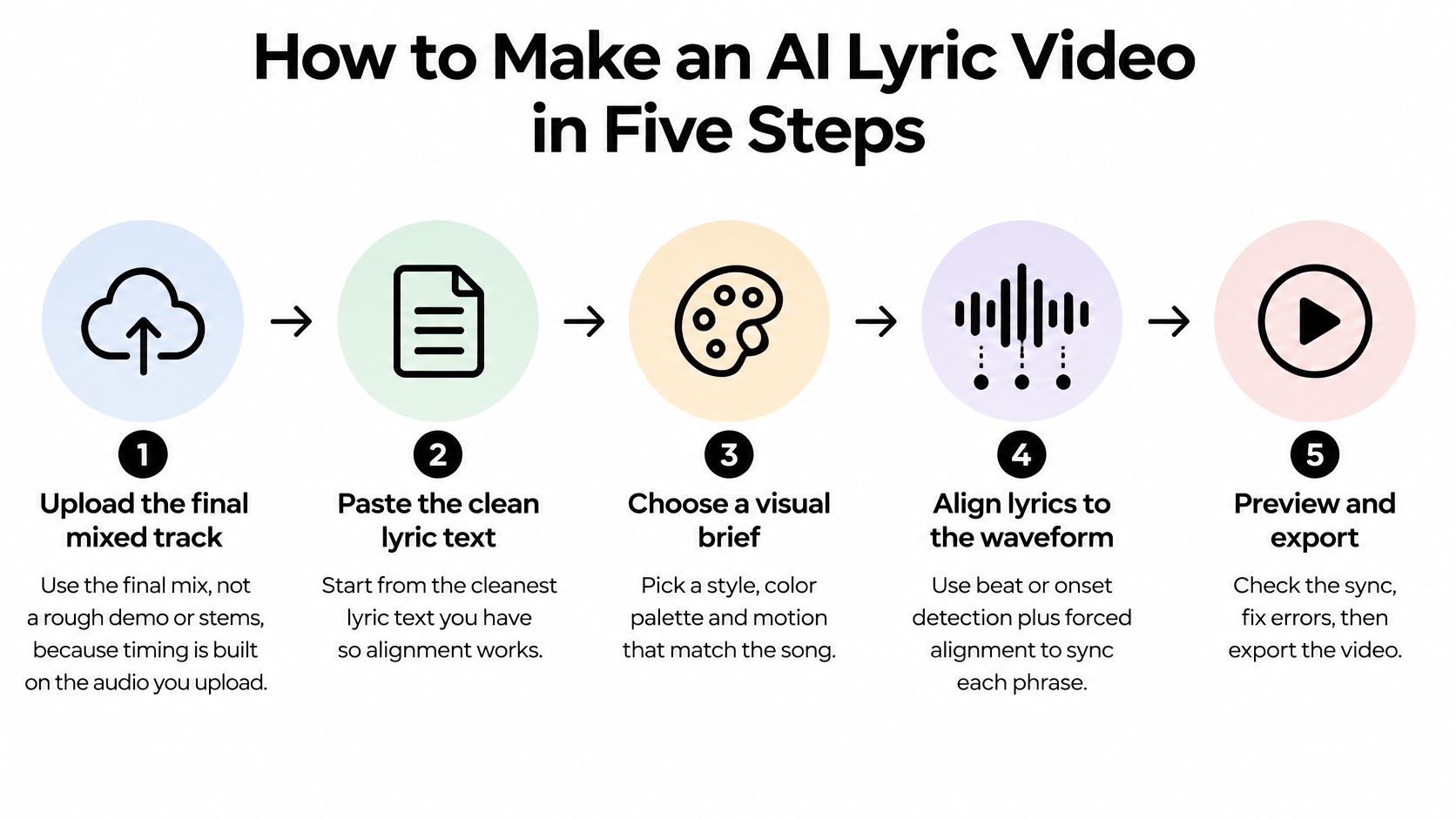
- Upload the final mixed track, not a demo or stems. Timing is built on the audio you upload. If the file length does not match the lyric duration, stop and fix the file before you generate anything.
- Paste the lyrics with section labels such as Verse 1 and Chorus. Labels stop the tool from dropping every repeated line on the first match it finds.
- Generate scenes from the brief, usually one scene every 4 to 8 seconds of audio. A three-minute song then needs roughly 25 to 45 clips, which is what keeps the picture from sitting as one still.
- Run automatic alignment, then correct each line against the vocal. Misheard words and late entries get caught during that manual check. Do not trust the first pass on melisma or ad-libs.
- Review on a phone at normal playback speed, then export one version per platform. Desktop full-screen hides type that fails in a vertical feed.
Practical rule: If the mix changes after the words are timed, throw that timing away and align again on the new master.
The check that decides whether you can publish is small. The video plays the full length, no word is wrong, no text appears before it is sung, and the file matches the platform you are uploading to.
If you want the same sequence shown as a cut rather than a list, this walkthrough covers the pass from upload to export.
Matching Visuals and Frames to the Song
Genre is a starting point, not a costume. A lo-fi track usually wants soft grain and slow pans. Drill or hyperpop usually wants hard cuts and saturated colour. A ballad can use either, as long as the chorus does not look like a different song.
Write the prompt in four parts
Each scene prompt should name subject, setting, camera motion, and light. A rain-soaked window, neon reflections, slow push-in, night is enough for one shot. Vague lines like "cinematic mood" produce a different room every time.
Lock a singer or a palette with one reference image, and keep a shot list so chorus visuals repeat or change on purpose. Generate in batches of 8 to 10. Reject clips with garbled on-screen text, distorted hands, or a setting that fights the line being sung. The tool cannot tell you the picture misses the meaning. You can.
Set the frame before you generate
Type laid out for a 16:9 master will crop or sit under interface bars on a vertical cut. Choose the ratio first, then generate inside it.
| Platform | Aspect ratio | Resolution | Safe-area note |
|---|---|---|---|
| YouTube standard | 16:9 | 1920 x 1080 | Keep lyrics inside the centre area, away from the frame edges |
| YouTube Shorts, TikTok, Instagram Reels | 9:16 | 1080 x 1920 | Keep text clear of the top and bottom interface bars |
| Instagram feed | 4:5 | 1080 x 1350 | Keep text within the centre and clear of the edges |
| Square post | 1:1 | 1080 x 1080 | Narrow the text width so lines do not run into the edges |
Render the first 20 seconds in every ratio you plan to publish. Framing problems show up there, before you pay to generate the rest of the song.
Syncing Lyrics and Fixing Common Errors
Lyric timing is a synchronisation job, not a transcript dropped on top of the picture. Start from the cleanest lyric text you have. Align each phrase to the waveform with beat or onset detection plus forced alignment. Then check phrase boundaries by ear against the vocal, the musical breaks, ad-libs, and repeated lines.
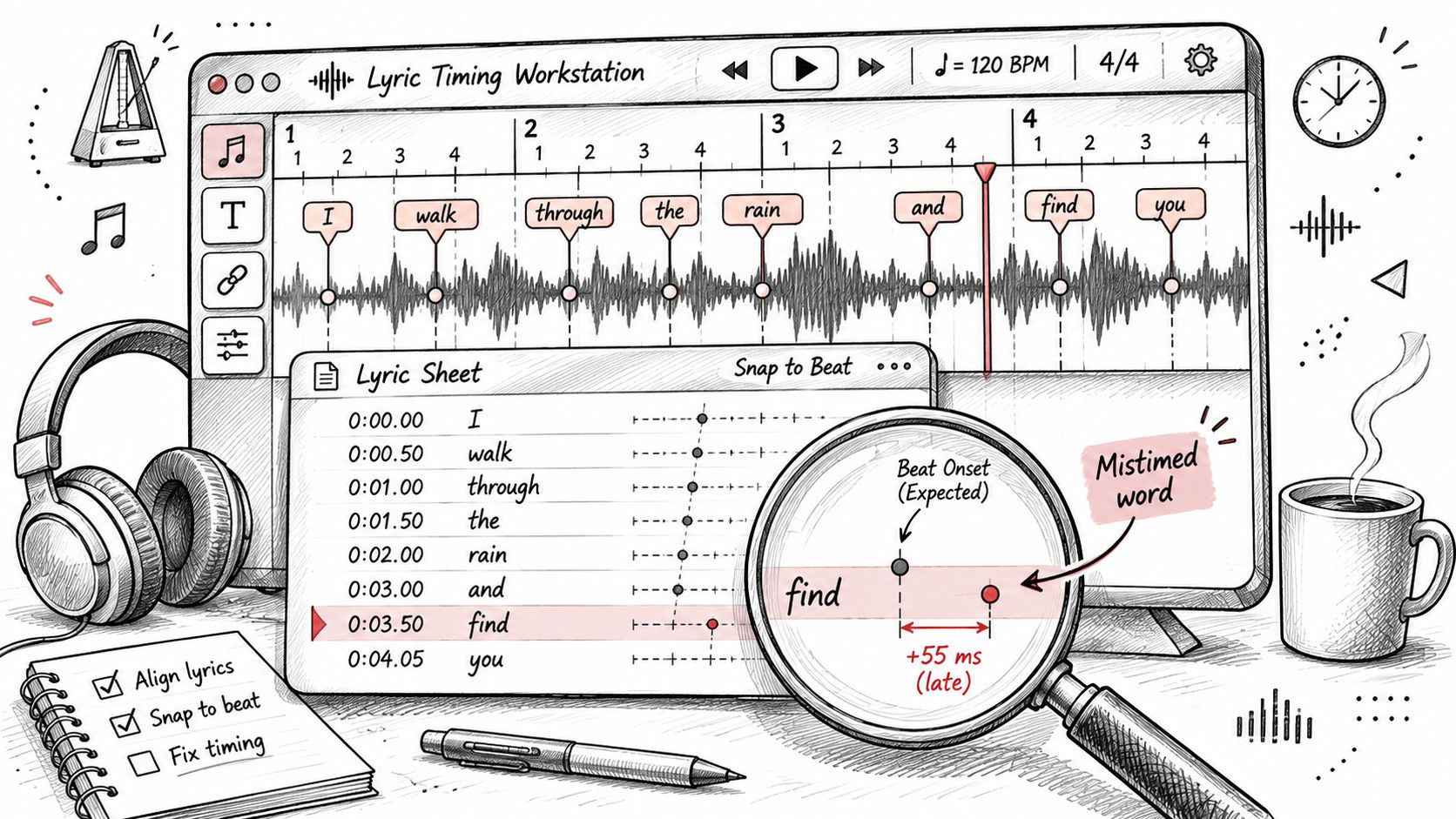
Give every phrase a start time and an end time, and leave a short gap between lines. Text should never appear before the word is sung, and it should not hang after the phrase ends. Play the cut at normal speed and on a phone.
An ACM study of lyric interfaces evaluated four variations with 57 participants and reported better readability, attention, and overall experience for the complete synchronised pipeline than for versions with timing or visual-guideline elements removed. Misalignment makes viewers process the same line twice and miss the picture. Compare your full sync against a version with the timing stripped if you want to see the difference yourself.
Match the fault to the fix
| Symptom | Likely cause | Fix |
|---|---|---|
| Wrong words on sung vowels | Speech-to-text misreads sustained or melismatic notes | Correct the text by hand and retime that line |
| Chorus line appears at the wrong bar | Repeated lines are matched to the first occurrence | Label every chorus instance separately before alignment |
| Text disappears before the word ends | Animated text holds for less time than the phrase | Hold each line for the full sung phrase and check at normal speed |
| Lyrics unreadable on a phone | Master exported wide, so type is too small at vertical size | Set type size for the 9:16 frame first |
| Visual covers the lyric | No safe-area margin or busy image behind the text | Move the text block or add a plain panel behind it |
| Character changes between scenes | Each generation redraws the subject | Reuse one reference image and a fixed palette across scenes |
| Drift after the final master | Timing was built on an earlier mix | Re-run alignment on the final audio |
Keep the type readable
The Australian Government Style Manual estimates that viewers read about two lines in two seconds, and it recommends testing whether captions stay readable in that time. I would cap the lyric layer at two lines and about 42 characters per line, with a natural break, strong contrast, a safe-area margin, and one active-line treatment. Do not change font mid-phrase or park words on a busy image.
WCAG requires captions for prerecorded synchronised media and enough time to read them. Decorative lyrics are not that caption track. Export a separate caption file if the platform asks for one.
Spend ten minutes at the first chorus, the bridge, and the final chorus. Mark each checkpoint pass or fail for wrong words, early text, and type that vanishes on a scene change. An AI tool will not judge whether a visual fits the song. You still review every scene.
Confirm Rights Before You Publish Your Video
Displaying someone else's lyrics is a use of the composition. Pairing the recording with pictures can also need a synchronisation permission. A licensed master on its own does not clear the lyrics or the composition. A tool's "commercial use" line does not close those gaps.
A buyer-guide treatment of lyric-video rights separates the rights that sit in one file. The sound recording, the composition, the lyric text, the visuals, the fonts, and the AI-generated material are not one licence. The U.S. Copyright Office's 2025 position is that AI assistance does not automatically block copyright protection, but prompts alone are not enough. Meaningful human selection, arrangement, or modification may be required. European policy analysis treats protection as case-specific and tied to substantial human creativity, while purely AI-generated output generally gets none.
Before the final export, confirm each of these.
- Ownership of the song and the lyrics, in your name or with written permission.
- Master and sync permissions, not just a streaming licence.
- Commercial terms for every visual, font, and AI-output clause.
- Evidence of your contribution, kept as lyric drafts, edited stems, project files, prompts, and export history.
- Upload handling if the audio is unreleased. Ask whether the tool keeps the file, uses it for training, and lets you delete it. A European Parliamentary Research Service briefing796995) flags unresolved questions on training-data legality, transparency, consent, and pay for creators whose work may sit inside generative systems.
Being allowed to publish a video is not the same as being able to stop someone else from copying it.
An AI-made cut can be easy to post under a plan's terms and hard to defend if almost none of it is yours. Save the project folder, finish the checklist, and read the original user reviews of any tool you are comparing, including what they say about uploaded audio, before you hit export.
Revid Reviews collects public reviews of Revid, the AI video generator, from Trustpilot, X, and Product Hunt, each linked back to the original so you can check the claim yourself. If you are weighing a music-to-video tool for a release, the guides cover what creators make, where the limits show up, and how Revid compares with other generators. Visit Revid Reviews before you pay for a plan.