You've got a long interview recording, a deadline on Friday, and a folder full of footage you haven't reviewed. You need short vertical clips, readable captions, and an opening that doesn't take forever to get to the point. An AI video editor sounds useful, but the product demos leave an important question unanswered: will it help you edit your recording, or generate something different?
That distinction matters more than the AI label. Start with what you already have, what you need to make, and how much control you want when the automatic cut gets something wrong.
Table of Contents
- What an AI Video Editor Does and Where It Stops
- How AI Video Editors Read and Cut Your Footage
- Features to Compare Side by Side
- Who Uses AI Video Editing and for What
- Disclosure, Copyright and Trust Risks
- How to Test an AI Video Editor Before You Pay
- Choose the Editor That Fits Your Workflow
What an AI Video Editor Does and Where It Stops
An AI video editor works on footage you already have and automates parts of assembling it. It might suggest highlights, remove silence, generate captions, follow a speaker inside a vertical crop, or prepare a rough cut. You still need to decide whether the result tells the right story.
Think of a traditional editor as a workshop. You have the tools to shape every cut yourself. An AI video editor is more like an assistant who sorts the material and prepares an assembly for you to refine.
A video generator is closer to commissioning a set and a performance from a written description. Instead of selecting only from recorded material, it creates new visual content. Some products combine these approaches, which is why the name alone won't tell you what you're buying.
The categories behind the label
Creative AI use is widespread, but that doesn't mean everyone uses the same workflow. In 2025, 86% of creators across the United States, United Kingdom, France, Germany, South Korea, Japan, India, and Australia used creative generative AI, according to an Adobe and The Harris Poll survey of more than 16,000 creators.
What each tool category does for common editing tasks
| Task | Traditional editor | AI video editor | AI video generator |
|---|---|---|---|
| Cutting and trimming clips | Manual cuts on the timeline | Suggested or automatic cuts from highlights and silence detection | Creates clips from prompts rather than trimming source footage |
| Captions and subtitles | Typed by hand or added with a plugin | Transcribed automatically and editable | Generated text may need separate caption correction |
| Reframing for vertical video | Manual crop and keyframing | Automatic reframing with subject tracking | Set by the prompt or chosen format |
| Script and voiceover | Written and recorded by you | May draft from text you supply | Generated from a prompt |
| Source footage | Your footage or licensed stock | Your footage, sometimes with generated additions | New footage created from text |
| Control over each cut | Frame-level control | Check for an editable timeline | Prompt changes and regenerations unless editing tools are included |
| Typical output | A final edit you shaped | An edited version of your source material | A newly generated video |
These are workflow categories, not permanent boundaries between brands. A traditional editor can include AI assistance, and a generator can include a timeline.
Choose the job before the tool
For an interview, the source material already exists. Your problem is selecting, arranging, and adapting it without changing what the speaker meant.
For an imagined setting behind a narrated story, you're missing visuals. Generation may help, but requesting a different camera movement isn't the same as moving an existing cut by a frame.
Start with the bottleneck: Do you need faster assembly, new visuals, or both?
How AI Video Editors Read and Cut Your Footage
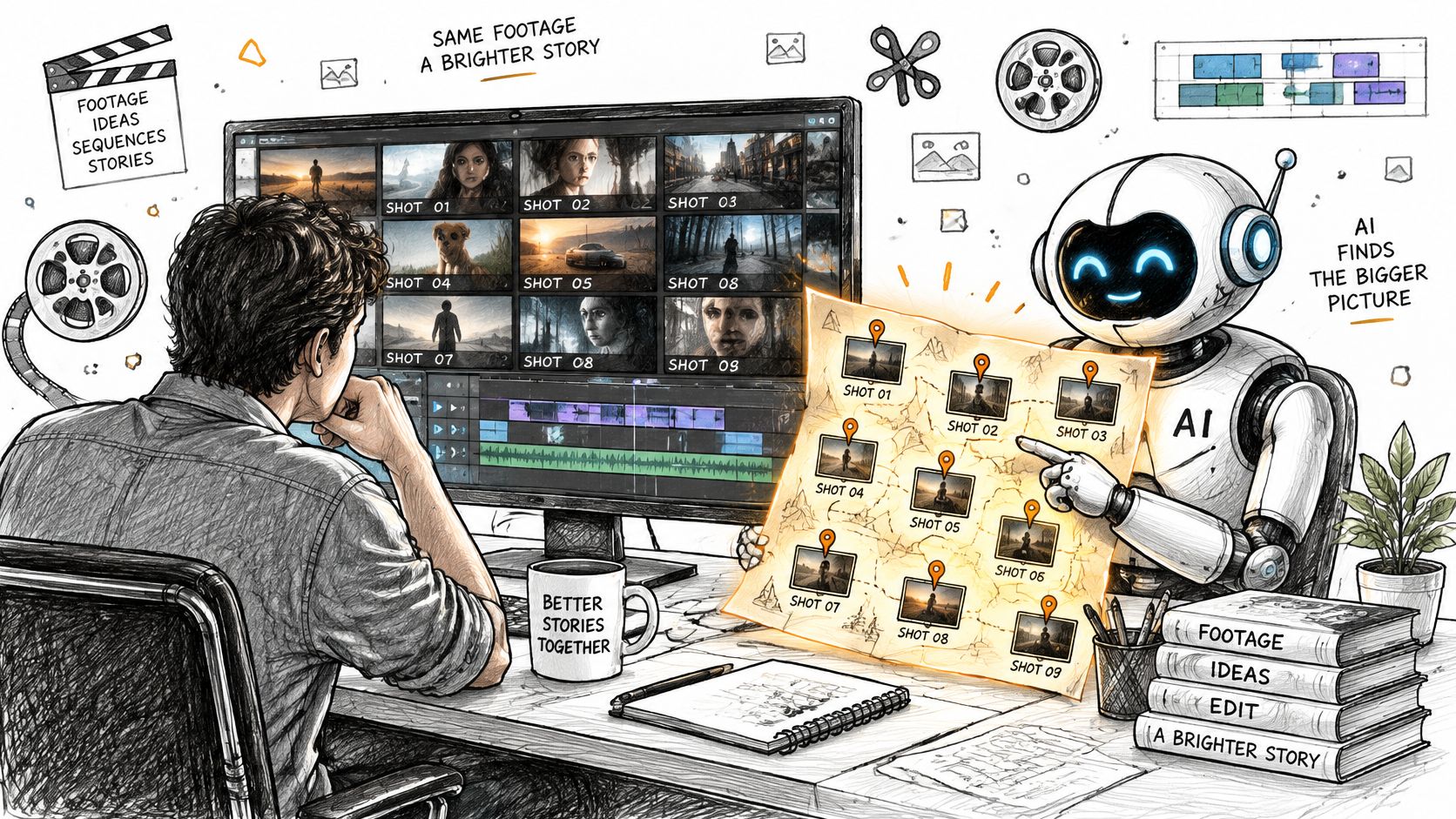
A human editor watches the rushes and builds a mental map: the useful answer is near the beginning, the demonstration comes later, and the reaction shot belongs after the reveal. An automated editor needs a usable map too. It can't make sensible choices from visual appearance alone.
A system may divide footage into sub-clips, sample representative keyframes, and record each segment's duration. A vision-language model can then connect pictures with descriptions, while timing information helps it place selections into a sequence.
Why the internal map matters
One ACM-published non-linear editing system supplied a model with grids of midpoint keyframes and each sub-clip's duration; removing multi-agent collaboration and a self-supervised exploration phase produced more failures, reduced source-footage coverage, and increased repeated-clip selection.
Think of its Editor-Critic arrangement as a draft editor and a reviewer. One proposes an assembly; another checks the choices. This is a specific system, not a description of every commercial product, but it illustrates why an attractive first result isn't enough.
Structured timing, review, and coverage checks matter alongside the ability to recognize what's in a shot. A model might correctly identify someone holding a finished cake yet miss the preparation that makes the demonstration understandable.
Failure signs you can test
- Repeated shots: The same attractive close-up appears again without a storytelling reason. Compare the selected segments with their source timestamps to catch accidental reuse.
- Missing intervals: The output includes an introduction and conclusion but skips the explanation connecting them. Write down the essential moments before processing, then check which survived.
- A sealed sequence: You can download the result but can't replace a mistaken selection. Try restoring an omitted moment without rebuilding the entire video.
A short, uniform talking-head recording may hide weaknesses that mixed footage exposes. Try material with changing locations, speakers, or activities, and inspect whether the assembly preserves their relationship.
You don't need access to a model's internal calculations. You need enough visible information, such as source timestamps, selected clips, and editable decisions, to understand and correct its work.
Features to Compare Side by Side
Treat the feature list as a shopping checklist, not a collection of impressive labels. A caption button is useful only if you can correct a product name. Automatic reframing helps only if it keeps the relevant action visible.
Use identical source material when comparing tools. Otherwise, you may mistake an easy recording for a better editor.
The checks that reveal useful control
Core AI video editor features and what to check before buying
| Feature | What it does | Check before buying |
|---|---|---|
| Auto captions | Transcribes speech into editable text overlays | Accuracy with your accent, jargon, and background music |
| Highlight detection | Selects candidate moments from long footage | Whether you can override or reorder each pick |
| Platform reframing | Converts landscape footage into vertical or square crops | Whether subject tracking keeps the speaker centred |
| Text-based editing | Edits video by editing its transcript | Whether timeline changes stay in sync with the transcript |
| Timeline access | Provides frame-level control of cuts, layers, and audio | Whether you can edit after automatic assembly |
| Undo and revision history | Reverts individual AI actions | Whether earlier actions can be reversed without losing unrelated work |
| Export and disclosure | Controls output formats, resolutions, and labelling | Maximum resolution and whether you can add an AI-use label |
Caption accuracy is only the beginning. Check line breaks, timing, contrast, and whether text obscures a face or demonstration. Listen after deleting transcript words too, because a grammatically tidy sentence can still contain an audible jump.
Reframing deserves a moving test. Have a speaker turn toward an object or another person, then see whether the crop follows the face while cutting out the thing they're discussing.
What comparable quality actually means
A 2024 ACM study involving 37 users compared professionally edited and AI-edited short-form videos in a counterbalanced within-group experiment and found no statistically significant difference in participants' ratings.
That supports a narrow, useful conclusion: automated selection and assembly can produce similarly rated results in selected short-form scenarios. It doesn't establish equal performance across documentaries, advertisements, music videos, or every source recording.
Perceived quality also isn't the same as semantic accuracy. A polished interview clip can omit a qualification and reverse the speaker's meaning. Nor does a viewer rating demonstrate stronger audience retention, sales, or channel growth.
A good-looking draft is evidence that the tool can assemble a draft, not that you can skip editorial review.
For buying purposes, treat a one-click tool without timeline access or meaningful undo like a generator, whatever its marketing calls it. That's a control-based purchasing rule, not a technical classification.
Finally, examine the charging unit: seats, processed minutes, generation credits, or exports. Check watermark restrictions, export caps, and card requirements before uploading a project. Our AI video buying guides address questions such as pricing, credits, and comparisons, but your own correction-and-export test should decide whether a plan fits.
Who Uses AI Video Editing and for What
A faceless YouTube creator opens a recorded tutorial and looks for a self-contained explanation that can become a Short. They don't need a synthetic presenter. They need to find the useful passage, preserve its context, and make it readable without sound.
In 2025, 71% of 384 U.S. video creators surveyed by Adobe Express had used AI video generation or editing tools. That measures combined use of those categories, not adoption of footage-based editing alone.
A channel owner repurposing existing material
For the tutorial creator, transcript search and highlight suggestions are starting points. The key question is whether a viewer who hasn't watched the full recording can understand the extracted clip.
Justin Lord, @Justin_lords on X, offered this self-reported, unverified testimonial:
“The channel went from dead to growing in one week. If you're still spending hours editing manually you're doing it wrong.”
Uri, @uri_journey on X, separately reported 250+ subscribers in a month and 700 watch hours, crediting Revid with helping them get started. This is also self-reported and unverified, not a growth benchmark or evidence that a tool caused the outcome.
A business adapting a shoot
Say a bakery records a product demonstration and wants separate ads for different offers. Its editor needs to preserve the correct product, price wording, and call to action while changing the crop and opening.
Dan Mindru's Product Hunt testimonial describes editing time falling from days to a few minutes. That self-reported, unverified experience isn't a dependable production estimate. Source quality, revision demands, niche, and publishing consistency can all change what a creator gets from automation.
A musician shaping a performance
A musician listens to a chorus while adjusting where a visual change lands. Here, precise timing and the ability to replace imagery matter more than an automatic highlight score.
Nikhil Prakash, @nikhilosophy on X, described creating a music video with Revid's Music to Video feature as fun, with tools to explore. That self-reported, unverified testimonial describes enjoyment, not a measured speed or quality advantage.
Match the shortlist to the job:
- Repurposed tutorials: Transcript navigation, captions, and contextual clip boundaries.
- Short-form ads: Reusable versions, reliable crops, and editable commercial wording.
- Music videos: Beat-sensitive adjustments, replaceable visuals, and detailed audio control.
Disclosure, Copyright and Trust Risks
Permission to use an output commercially doesn't answer every publishing question. You still need to consider whether viewers could be misled, whether you have rights to the ingredients, and what protection your own contribution may receive.
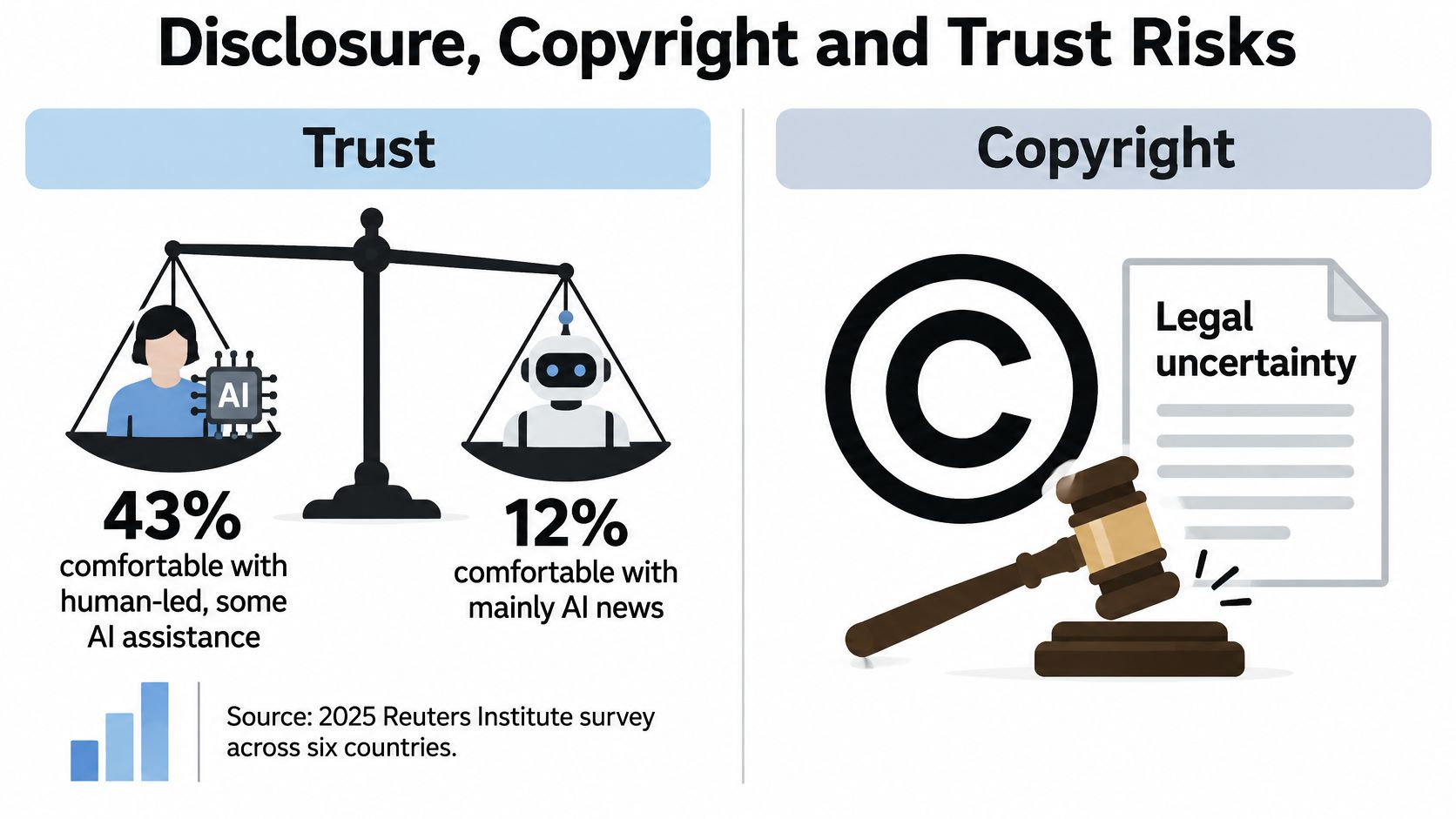
For a useful audience-trust baseline, a 2025 Reuters Institute survey across six countries, summarized by Mark Studios, found 43% comfortable with news produced mainly by humans with some AI assistance, compared with 12% comfortable with news produced entirely by AI. Those figures concern news, not ordinary video-editing preferences.
Assistance isn't the same as impersonation
Cleaning up captions doesn't make the same representation to viewers as generating a customer endorsement. A synthetic voice resembling a real person introduces a different concern from removing room noise.
Use disclosures that identify the material change. For a faceless explainer, say that the narration is AI-generated if it is. For a music video, identify generated visuals as stylized imagery rather than documentary footage. For a UGC-style advertisement, don't let a synthetic performer imply they're a real customer recounting an actual purchase.
These are practical editorial recommendations, not a universal statement of platform rules or law. Check the applicable publishing requirements for your destination and content.
Separate the rights questions
In Adobe's 2026 global survey of more than 16,000 creators, 90% considered copyright protection for AI-assisted work important, while 49% said they always or often disclose AI use.
A tool licence, a stock-asset licence, permission to use someone's likeness, model-training concerns, and copyright protection for an output are separate matters. Don't collapse them into a claim that a video is commercially safe.
Before publishing, keep a compact rights record:
- Supplied material: List recordings, photographs, scripts, music, and permissions you brought.
- Generated material: Identify synthetic elements and anything you intend to replace.
- Licensed assets: Save the licence terms and evidence connecting them to the assets used.
- Human contribution: Preserve script drafts, selection decisions, and substantive edits.
Our collection of public Trustpilot reviews links to original accounts, but customer reviews aren't a substitute for checking rights.
Disclose generated voices, presenters, or visuals that viewers could mistake for real recordings. Keep prompts and source files with the published version so you can explain how it was made.
How to Test an AI Video Editor Before You Pay
Use your own footage rather than a polished demonstration file. A useful trial includes awkward pauses, specialized vocabulary, camera movement, and something important that isn't visually dramatic.
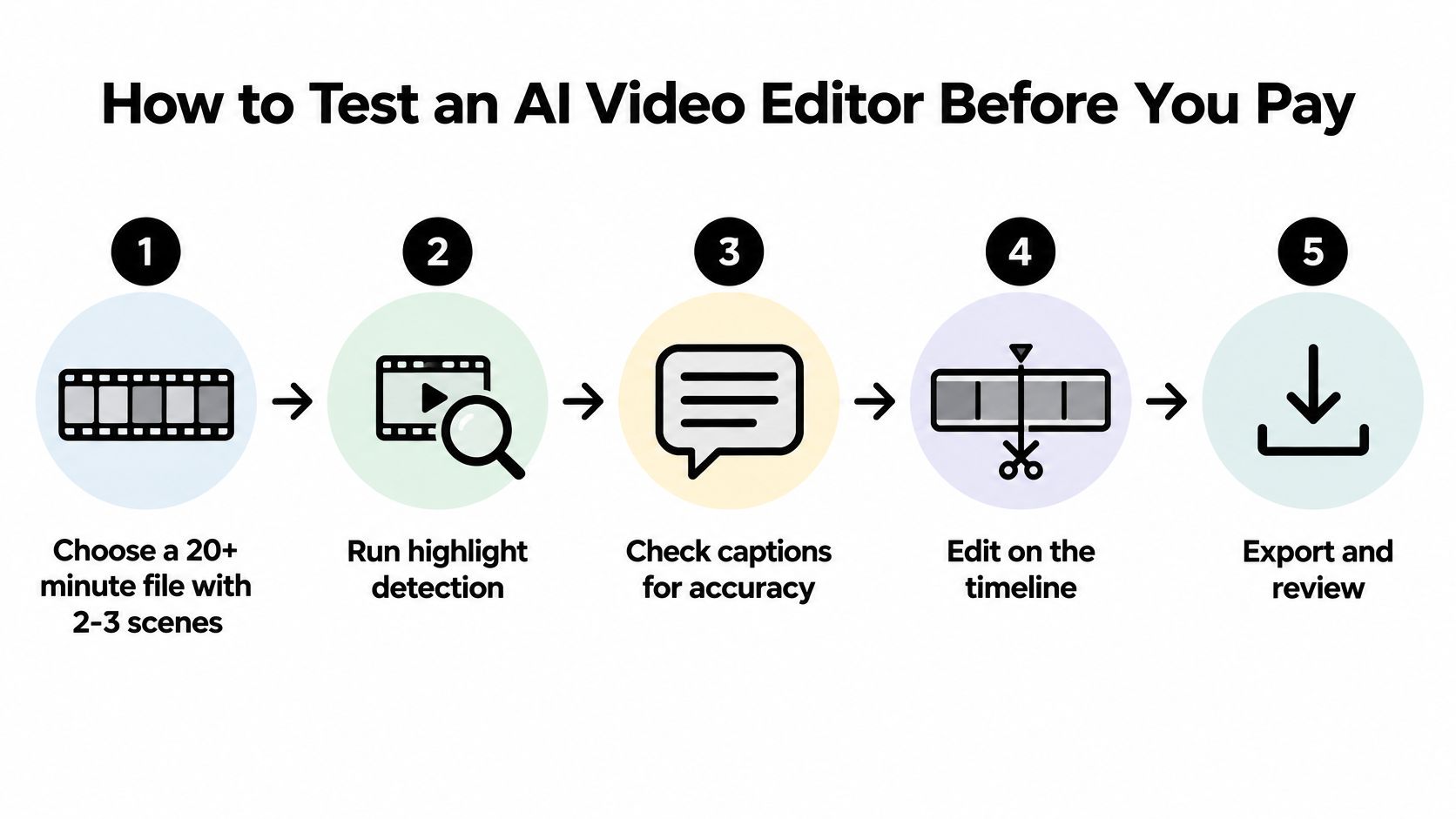
The visual checklist is a starting point; the numbered procedure adds coverage and reversibility checks that a simple export test can miss.
Run a controlled trial
Choose representative material. For example, use a recording of at least twenty minutes containing several distinct scenes or topics. This is a suggested test setup, not a required technical minimum, and it makes omissions easier to spot.
Run the default assembly. Use highlight detection or automatic cutting without polishing its selections first, then record the returned clips and repeated shots. This exposes selection behaviour before your corrections hide it.
Audit coverage. Compare the result with a written list of essential moments and note what's absent. This catches missing explanations, not just visually obvious mistakes, and lets you judge whether restoration is practical.
Force meaningful changes. Replace several selected moments, reorder clips, and correct a caption, checking the timeline and transcript together. This is the hands-on test of timeline access, and it reveals whether you can repair an attractive but misleading draft.
Exercise revision history. Undo changes at different points, including after another edit or automatic action. Confirm that recovering an earlier state doesn't unexpectedly erase work you meant to keep.
Export for real viewing. Produce vertical and horizontal versions, then inspect them in the intended platform's preview or a private draft. Look for cropped demonstrations, misplaced captions, and interface overlays covering important text.
Measure the complete job. Record elapsed time from upload to a publishable file, including processing, corrections, failed attempts, and export. Comparing that complete workflow is more useful than comparing the speed of the first draft.
Score recoverability, not just polish
Coverage, editable decisions, and reliable undo are shortlist gates. A tool that handles steps three, four, and five well can be worth keeping even when its initial assembly needs work. A prettier draft with no repair path can become the slower option once you find an error.
Run timeline and undo tests against the corresponding feature-table checks, rather than accepting a button's presence as proof. For additional user perspectives, our Product Hunt review collection links to original comments; use those accounts to identify questions to test, not to replace the trial.
Choose the Editor That Fits Your Workflow
If the footage exists, choose around the work you repeatedly postpone. Interview repurposing calls for usable selections and corrections; demonstrations require crops that preserve the action. Prefer the tool that makes those specific jobs manageable.
If the visuals don't exist, a generator may fit better. Judge it on how predictably you can request and revise the missing material, and budget attention for misleading details or synthetic elements that need explanation.
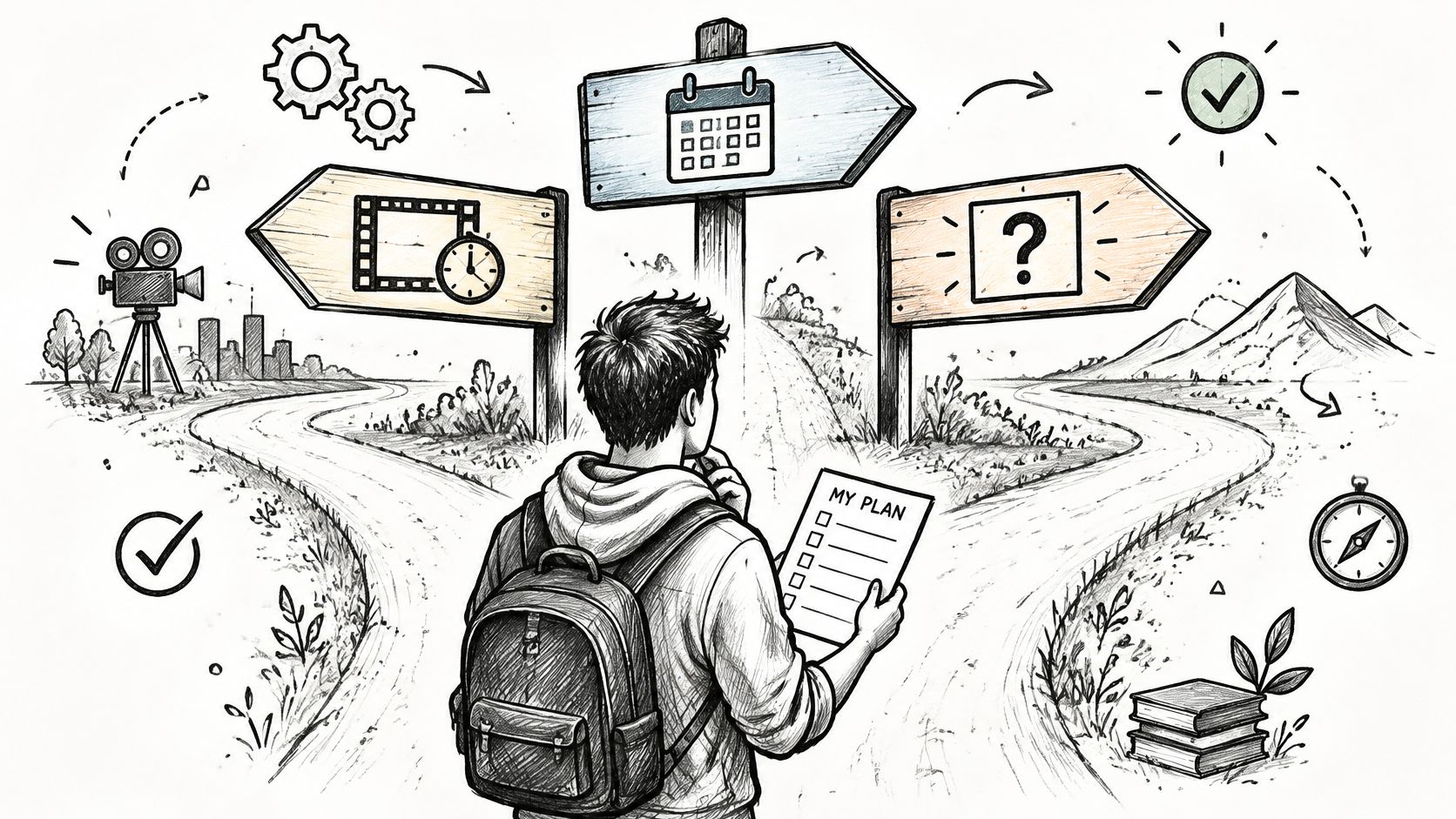
Make a decision you can verify
If you need both, look for a workflow that distinguishes supplied recordings from generated additions. You should be able to identify which material came from where without reconstructing the project from memory.
Revid Reviews is operated by the team behind Revid, a prompt-to-video generator, so weigh our feature claims accordingly. Check original user accounts on Trustpilot, X, and Product Hunt, and seek independent assessments rather than treating our collection as an independent endorsement. Revid offers a free trial that requires no credit card to start.
The best shortlist is one you can defend with your own footage, corrections, and exports.
Before committing, answer these questions:
- Does the footage already exist?
- Is my bottleneck assembly time, missing visuals, or both?
- Can I change any cut and undo any AI action?
A clear answer to the first questions, and a demonstrated yes to the control question, gives you a practical shortlist. Save a representative source file and run the same trial before choosing a subscription.
Visit Revid Reviews for public creator reviews linked to their originals and buyer guides covering AI video workflows, pricing, credits, and limitations. Use those accounts to build your questions, then test the answers on your own footage before paying.