You've got one long recording, a vertical post due today, and no time to learn a new editor. The choice usually comes down to three paths: use a clipper if the value is already in the footage, use a generator if you're starting with a prompt or script, or use an avatar tool if the message needs a presenter without filming one.
That source-first decision matters more than a long feature list. A podcast episode needs a different workflow from a phone selfie, and a product script needs different controls from a blog post. TikTok also supports more than quick trend edits. In October 2021, TikTok reported that videos longer than one minute had already collected more than 5 billion global views, making scene continuity, narration, captions, and pacing relevant for longer explainers and demonstrations too. TikTok's newsroom report provides that context.
One disclosure before the list: Revid Reviews is run by the Revid team. The guide covers Revid's strengths, credit limits, and paid-entry requirement with the same scrutiny as every other tool. Pricing and feature packaging can change, so verify the live product pages before subscribing.
Table of Contents
- 1. Revid
- 2. CapCut
- 3. InVideo AI
- 4. Opus Clip
- 5. Klap
- 6. Vizard
- 7. Captions
- 8. Pictory
- 9. HeyGen
- 10. Runway
- Top 10 AI TikTok Video Generators, Feature & Pricing Comparison
- Match the tool to the format you publish most
1. Revid
Revid is the broadest fit when your starting material changes from post to post. A prompt, script, article, link, podcast, song, or long YouTube video can become a vertical draft with stock visuals, narration, subtitles, and edits in one workflow. That makes it useful for faceless channels, UGC-style ads, music videos, and rapid creative testing.
The main strength is breadth. Its 100+ specialized tools cover script-to-video, prompt-to-video, lyrics and motion videos, UGC ads, face swaps, talking avatars, captions, and long-to-short clipping. The TikTok workflow also handles vertical formatting, cuts, captions, and publishing steps, while the API supports reusable visual configurations and programmatic creative output. Explore the platform through Revid's AI video generator, then compare buyer feedback in Revid Reviews.
Practical rule: Revid works best when you need to move from idea to several plausible drafts quickly, not when you expect the first render to be your final post.
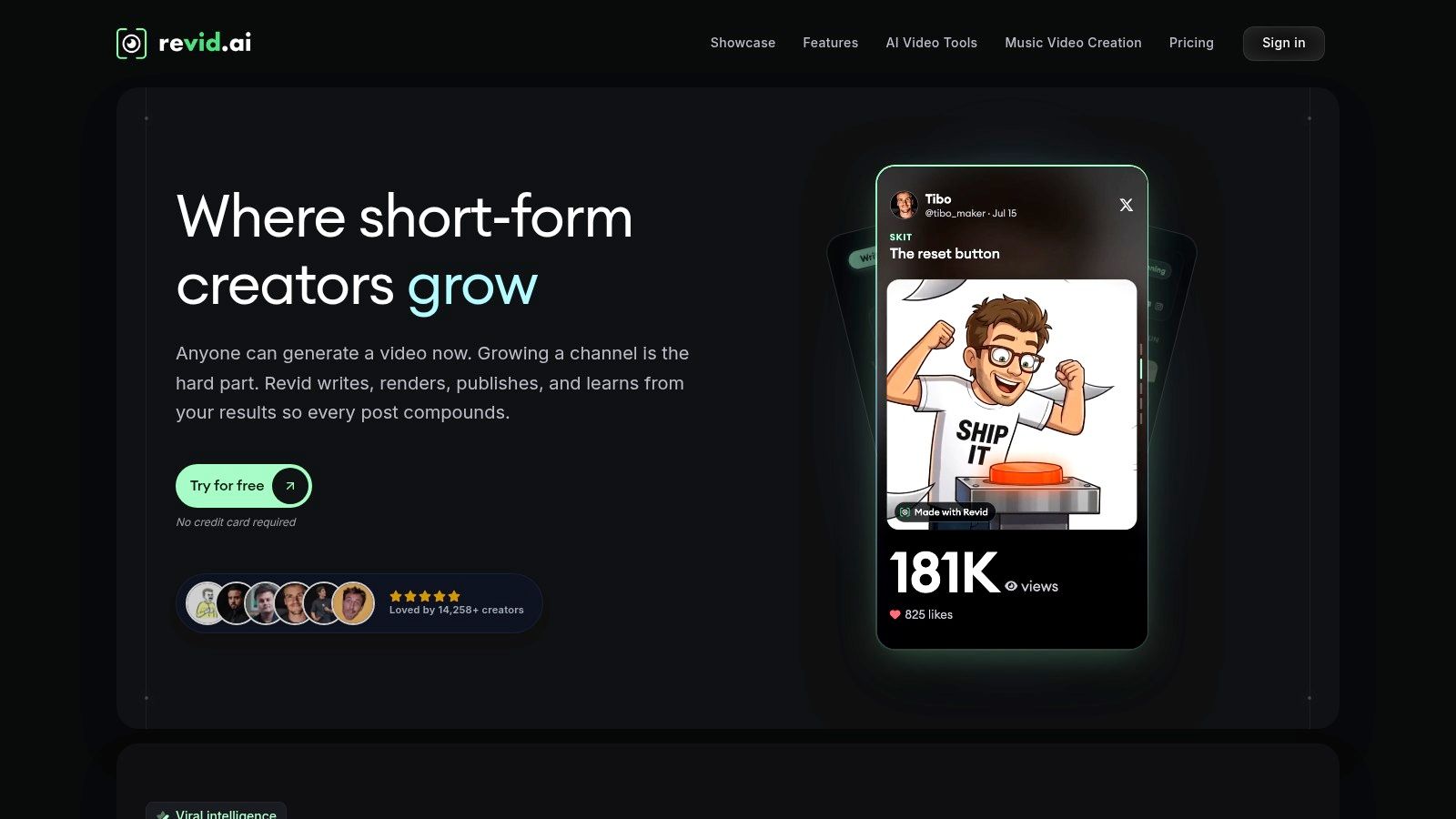
The limitation is cost visibility. Generation is credit-metered, so the actual cost per usable post depends on how many drafts, revisions, and renders survive review. There's also no perpetual free tier, which means creators need to accept paid entry before building a repeatable workflow.
2. CapCut
CapCut is the sensible choice when your source is a phone clip, not an empty prompt. It's an editor with a strong TikTok-native feel, so you can trim footage, add captions, remove backgrounds, apply effects, and adapt a post without rebuilding the entire video from text.
The template library is its biggest advantage. It helps creators match familiar short-form pacing and visual conventions, while mobile and web workflows keep the handoff simple. CapCut also includes scripting, advertising aids, product templates, and presenter-style options for business content. Visit CapCut's official editor for the current feature and regional availability.
A free entry point makes CapCut easy to test, especially if you already have footage. The trade-off is that many advanced features sit behind Pro, and regional pricing or availability can differ. Templates can also make several accounts look alike, so replace default text, pacing, framing, and sound choices instead of publishing the first version unchanged.
- Use it for: Phone footage, trend-led edits, product clips, and quick captioning.
- Avoid relying on it for: A finished video created from only a script or prompt.
- Watch for: Regional feature access and template-driven output.
3. InVideo AI
InVideo AI starts with words. Give it a prompt or script, and it assembles stock footage, transitions, music, captions, and an AI voice into a vertical draft. That makes it a practical option for faceless explainers, listicles, product concepts, and other formats where narration carries the structure.
The workflow is fast because the tool handles several production steps at once. You can select TikTok-friendly layouts and control the output through a credit system that affects model choice and rendering capacity. Its documentation explains how AI minutes and credits are consumed, which is useful when you're estimating the cost of a repeatable publishing process. The product is available through InVideo AI.
A usable draft beats a polished dead end. Keep the first render only if the opening, visuals, and narration support the same idea.
The weakness is the pricing model. A subscription and AI credits can make the cost of a finished post harder to forecast, particularly when you regenerate scenes or test multiple hooks. Visual selection can also feel generic unless you rewrite the prompt with concrete subjects, locations, actions, and pacing instructions.
For a buyer comparison, public Revid review records are useful as a separate reference point, but they don't replace checking InVideo's current credit rules. Treat every plan as a production budget, not merely an access fee.
4. Opus Clip
Opus Clip is built for one source problem: you already have a long recording and need short posts from it. Feed it a podcast, webinar, interview, or YouTube video, and it identifies candidate moments, reframes the speaker for vertical viewing, adds dynamic subtitles, and prepares clips for TikTok.
That focus is a feature, not a weakness. You don't need to invent a new storyline for every post. The tool helps you find statements with a clear beginning, useful context, and a natural ending, then process several candidates in a batch. Higher plans add scheduling and broader distribution workflows. See the current options on Opus Clip's website.
It won't create a new visual concept from a blank script. If your source recording has weak audio, long pauses, or no quotable moments, automatic clipping can't fix the underlying material. Review every cut for mid-sentence endings and missing context, even when the clip score looks promising.
- Best source: Podcasts, webinars, interviews, and long-form YouTube videos.
- Best workflow: Generate candidates, correct captions, replace weak openings, then compare completion and interaction.
- Main cost issue: Plans scale with credits and clip volume, so heavy repurposing needs a current limit check.
5. Klap
Klap follows the same long-to-short logic as Opus Clip, but its editing style leans toward energetic social cuts. It detects topics and hooks, reframes speakers, and applies captions designed for fast-moving TikTok posts. It suits creators who publish from long recordings but don't want to commit to a large recurring production system.
The per-clip model can be useful for occasional publishing. If you release interviews or educational recordings irregularly, paying around the individual output rather than maintaining a high-volume plan may make budgeting easier. Klap also offers team and API paths for larger workflows. Start with Klap's current product page.
The limitation is scope. Klap repurposes existing video, so it isn't the right choice for turning a written idea into a fully new visual story. It also needs a careful pricing check because public pages have shown outdated references. Confirm the live plan, clip allowance, export terms, and any team or API conditions before paying.
Revid's blog can help frame wider comparisons between repurposing tools and script-based generators, but the decision should come from your actual source library. A tool that produces attractive clips is still a poor purchase if you rarely record long-form video.
6. Vizard
Vizard is a strong middle ground for small teams that need more than automatic clipping. It turns webinars, Zoom calls, podcasts, and YouTube videos into social clips, then adds an AI Studio and generator for edits that go beyond selecting moments from a recording.
The useful part is distribution. You can add subtitles and brand elements, manage social accounts, and schedule content for TikTok, Reels, and Shorts from a broader workspace. That reduces the need to export every variation manually. The interface is also approachable for non-editors, which matters when the person publishing isn't a dedicated video specialist. See the workflow on Vizard's official site.
Vizard measures usage in minutes. That can work well for a team producing a controlled set of clips, but it may become restrictive when you process long recordings every day or repeatedly re-render the same source. Plan allocations vary, so check current limits rather than assuming the entry plan matches your expected volume.
The right question isn't “How many clips can it make?” It's “How many edited clips will we actually publish?”
7. Captions
Captions starts with a phone selfie or talking-head recording. Its one-tap editing approach adds automatic captions, teleprompter support, B-roll, effects, translation, lip dubbing, and prompt-based changes without sending the creator through a desktop-style timeline.
That makes it a strong fit for consultants, educators, founders, and creators who already speak naturally on camera. The source material is your personality and delivery. Captions helps package it for TikTok instead of replacing it with generic stock footage or a synthetic presenter. Explore the mobile and web workflow at Captions.
The trade-off is packaging complexity. Credit-based plans and changes to subscriptions have caused confusion for users, and billing or cancellation can differ when the App Store manages the subscription. Check which account controls payment before you start a recurring plan.
- Choose it when: You want to publish from a selfie with minimal post-production.
- Use the teleprompter for: Short scripts that need clear delivery without sounding memorized.
- Review manually: Names, pronunciation, translated captions, and B-roll that could imply a claim you didn't make.
8. Pictory
Pictory is the clearest match for a blog post, article, newsletter, or finished script. It converts written material into a narrated vertical video using stock footage, AI voices, subtitles, and music. This works particularly well for listicles, educational summaries, product explainers, and faceless channels where the written structure already exists.
The process removes the blank-page problem. You can start with an article, edit the generated script, then replace any visual that doesn't support the sentence. Pictory also offers higher-tier, enterprise, and API pathways, with documentation covering plan limits and watermark rules. Check the current product details at Pictory.
Its ceiling is creative identity. Stock footage and standard transitions can make a post feel like content marketing rather than a native TikTok. That isn't fatal for an informational channel, but it matters if your audience expects distinctive visual language or creator-led commentary.
Check the live minute allocations and tier rules before subscribing. Third-party pricing summaries can conflict with current product pages, and watermark removal or commercial-use conditions may depend on the plan.
9. HeyGen
HeyGen begins with a script and ends with an avatar-led video. It's designed for spokesperson content, product explainers, UGC-style ads, and multilingual versions where hiring or filming a presenter would slow production.
The practical strength is consistency. A small business can keep the same presenter, voice direction, and visual framing across a series of product posts. Dubbing and multilingual output can also support localized campaigns, but creators must review pronunciation, cultural fit, and claims in every language. Visit HeyGen's AI video platform.
Avatar content brings a trust question that a better lip sync won't solve. A 2026 study of 787 TikTok videos from 30 creators, published from November 2024 through April 2025, found that perceived inauthenticity was associated with lower engagement metrics such as likes and shares. The same study found that AI disclosure moderated that relationship, although it didn't remove the concern. The study record supports a hybrid approach, such as adding original commentary, product footage, or creator editing.
Pricing and credit policies have changed, and community feedback includes concerns about those changes. Treat the avatar as a production component, not a substitute for a credible idea or transparent presentation.
10. Runway
Runway is for the creator whose source is a visual concept. Start with a prompt, reference image, or generated asset, then build stylized B-roll, transitions, intros, and other footage that would be difficult to capture on a phone.
That makes it useful for hooks. A short, unusual visual can create a stronger opening for a narrated TikTok, music video, product concept, or visual essay. Runway also includes editing, upscaling, and export tools, so you can combine generated assets with real footage rather than publishing a disconnected AI sequence. See the current generation and editing options at Runway.
The limitation is control over production cost and continuity. Models, plans, and generation caps change frequently, and a visually impressive shot may not maintain the same subject, movement, or setting across a complete story. Use it for selected moments, then edit those moments into a human-led structure with captions and clear context.
Runway isn't the most efficient choice for turning a long recording into clips or a blog into a complete narrated post. Its value appears when the visual itself is the reason someone stops scrolling.
Top 10 AI TikTok Video Generators, Feature & Pricing Comparison
| Tool | ✨ Core features | ★ Quality / UX | 💰 Pricing & value | 👥 Target audience | 🏆 USP |
|---|---|---|---|---|---|
| Revid | ✨ 100+ creation tools; script/prompt & long->short; API | ★★★★ | 💰 Credit-metered; no free tier; strong repurpose ROI | 👥 TikTok creators, UGC advertisers, agencies | 🏆 Fast concept-to-post; deep repurposing & API |
| CapCut | ✨ TikTok-native templates, AI effects, mobile+web export | ★★★★ | 💰 Free entry; Pro features paid; regional limits | 👥 Trend-focused creators & mobile editors | 🏆 Most native TikTok feel; massive template library |
| InVideo AI | ✨ Prompt/script-to-video; stock, voice, subtitles; templates | ★★★ | 💰 Subscription + credits; transparent credit docs | 👥 Volume creators needing stock-driven faceless videos | 🏆 Clear credit guidance; fast draft generation |
| Opus Clip | ✨ Auto clip-finding, hook scoring, dynamic captions, batch | ★★★★ | 💰 Tiered credit plans; public pricing trackers | 👥 Long-form creators repurposing podcasts/YouTube | 🏆 Efficient mass clipping with hook detection |
| Klap | ✨ AI clipping, meme-style captions, topic/hook detection | ★★★ | 💰 Pay-per-clip + team/API options; verify live prices | 👥 Sporadic publishers wanting viral-style clips | 🏆 Transparent per-clip model for occasional use |
| Vizard | ✨ AI Studio + clipping, brand elements, scheduling | ★★★ | 💰 Minutes-based plans; free trial; Stripe billing | 👥 Small teams distributing to TikTok/Reels/Shorts | 🏆 Built-in social scheduling and team workflows |
| Captions | ✨ One-tap TikTok aesthetics, AI teleprompter, B-roll | ★★★★ | 💰 In-app subscriptions & credit packaging; App Store caveats | 👥 Selfie/talking creators and on-phone editors | 🏆 Phone-first, extremely fast phone→TikTok pipeline |
| Pictory | ✨ Script/blog-to-video with stock, AI voices, subtitles | ★★★ | 💰 Tiered plans incl. enterprise & API; check minute limits | 👥 Marketers & creators batch-producing faceless videos | 🏆 Efficient batch faceless production with docs/support |
| HeyGen | ✨ Realistic AI avatars, multilingual dubbing, spokespersons | ★★★★ | 💰 Credit-based (sometimes per-second promos); changing policies | 👥 Brands needing spokesperson UGC without hires | 🏆 High-quality avatars & multilingual dubbing |
| Runway | ✨ State-of-the-art text→video models, editor & upscaling | ★★★★★ | 💰 Usage/model caps vary; frequent tier/model updates | 👥 Creators/editors wanting standout AI visuals | 🏆 Cutting-edge generation and mature editing toolset |
Match the tool to the format you publish most
The best AI video generator for TikTok isn't the tool with the longest feature page. It's the tool that fits the material already in your workflow. If you start with a long recording, Opus Clip, Klap, or Vizard can remove the most manual cutting. If you start with a phone selfie, Captions or CapCut will preserve more of your natural delivery. If you start with a script, InVideo AI, Pictory, or Revid can create a usable first draft. If the format depends on a presenter, HeyGen addresses that specific production problem. If the post needs unusual visual B-roll, Runway is the more relevant specialist.
Your format also determines what “good” means. TikTok's global scale makes localization and reusable production especially relevant. DataReportal estimated at least 1.59 billion TikTok users worldwide in January 2025, with major listed audiences including the United States, Indonesia, Brazil, Mexico, and Pakistan. Those figures are advertising-audience estimates, not an audited count of monthly active users, so treat them as an indicator of reachable scale. DataReportal's TikTok statistics provide the underlying context.
Measure output quality beyond likes. A peer-reviewed TikTok engagement study collected 9.2 million video views from 347 users and treated watch time, viewing volume, completion, and interaction as separate signals. Average lifetime attention, measured through whether viewers watched to the end, stayed around 45% across users in that study. The published study supports testing openings, pacing, lengths, captions, and scene changes instead of using likes as the only verdict.
Use this three-question decision check before buying:
- What source material do you start with? Prompt, script, article, long recording, song, product footage, or phone selfie?
- Which vertical format do you publish most often? Faceless narration, talking head, avatar ad, repurposed interview, visual hook, or product demonstration?
- How will you measure cost per usable post? Include credits, failed renders, human edits, caption corrections, approvals, and exports, not just the subscription fee.
Finally, verify the current limits on each official product page. Revid Reviews collects public Revid feedback from Trustpilot, X, and Product Hunt and links to the original records, while its buyer guides discuss credits, cancellation, refunds, and comparisons with tools such as InVideo, Captions, HeyGen, and Pictory. Use those reviews as a starting point, then confirm live pricing and terms before committing.
Revid Reviews offers buyer-focused coverage of Revid's credits, pricing limits, cancellation questions, and public customer feedback. If you're comparing an AI video generator for TikTok by starting material and usable output, visit Revid Reviews before you subscribe.