It's 9 p.m., the script idea is finally clear, and someone still expects a publishable clip by morning. You don't have a crew, a spare afternoon, or the patience to rebuild a timeline from scratch. Automated video creation looks like the shortcut, and sometimes it is. The catch is that a fast file can still flicker, drift, or damage trust if nobody checks it.
Table of Contents
- What Automated Video Creation Covers Today
- Mapping the Pipeline From Prompt to Publish
- Quality Checks That Catch Drift and Flicker
- Disclosure, Trust, and Ownership Before You Scale
- Comparing Automation Levels and Tools
- Integration Examples for Creators and Marketers
- Choosing Your First Automated Workflow
What Automated Video Creation Covers Today
Picture a solo creator with a half-written explainer, a product photo, and a deadline that doesn't care about sleep. The old path meant writing, recording, cutting, captioning, and exporting as separate jobs. Automated video creation compresses that into a chain of tools that can turn a prompt into a script, visuals, a voiceover, and captions with little manual cutting.
That chain is a pipeline, not a magic button. One station writes, another pictures the scenes, another speaks, and a later station times the pieces together. If you treat the whole thing as one click, you miss the places where a bad sentence or a drifting face becomes expensive to fix.
Why the tools changed so fast
The rush didn't start with consumer apps. Generative adversarial networks (GANs), introduced in 2014, and variational autoencoders (VAEs), introduced in 2013, laid groundwork for synthetic images. Diffusion models and transformer architectures then pushed a sharp expansion around 2020 to 2021. A ten-year bibliometric study found publications on AI-driven video production rose from 39 in 2020 to 102 in 2021, about a 162% jump, then climbed to 796 publications in 2025, or 33.57% of that dataset. Citation influence peaked earlier, with 9,073 citations in 2023, according to that bibliometric study of AI-driven video production.
Practical rule: Choose a tool for the job you publish this month, then retest it in a quarter. Research output and model behavior have both been moving fast since 2021.
That pace is why a workflow that felt clumsy in 2022 can look ordinary now, and why a demo from last spring may already be a poor guide. Capabilities, consistency, and the amount of editing you still do have all shifted.
The rest of this guide stays practical. You'll see how a prompt becomes a draft, which measurements catch flicker and identity drift, when to disclose synthetic work, how ownership records differ from an export button, and which automation level to try first.
Mapping the Pipeline From Prompt to Publish
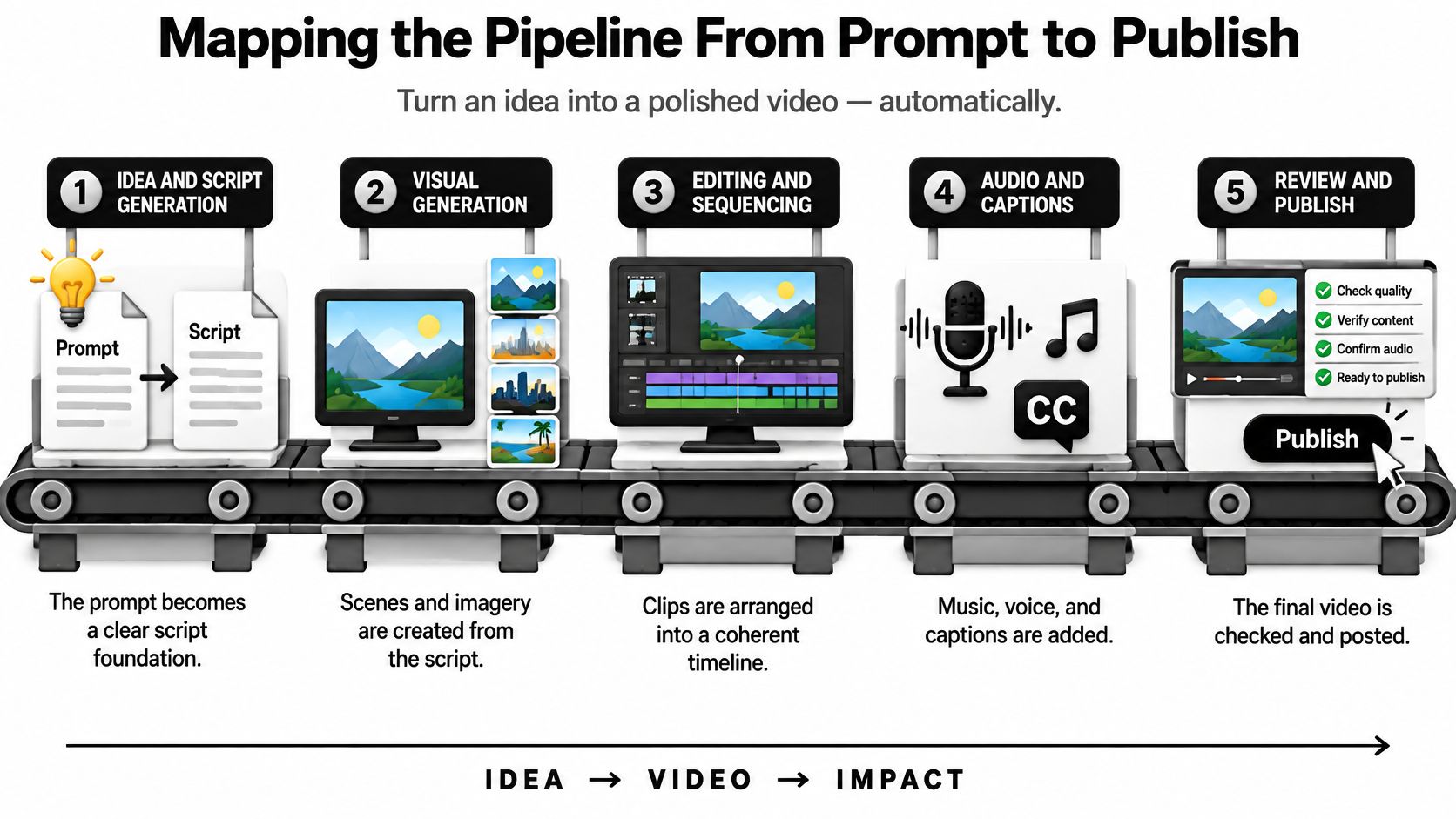
Think of the workflow as an assembly line. Each station accepts what the last one made and adds one layer. Skip a station, and the later ones invent the missing part, often badly.
What each station hands off
Idea and script. You supply a prompt, a rough outline, or a blog paragraph. The tool returns a spoken script, sometimes with a hook and a close. You still decide the angle. A generator will happily argue the opposite of your brand if the prompt is vague.
Visual generation. The script becomes scenes, stock-like clips, or synthetic shots. Inputs are the lines, a style note, and any reference image. You choose which take survives. Pretty is not the same as on-message.
Editing and sequencing. Clips land on a timeline. Here, pacing, shot length, and brand look get settled. A single prompt can expand into a full draft, but the draft still needs a human eye on rhythm. Three slow scenes in a row will feel longer than the runtime.
Audio and captions. Voice, music, and on-screen text arrive together or in passes. You approve pronunciation, music that doesn't fight the voice, and captions that match what was said. Auto captions love brand names they have never heard.
Review and publish. Metadata, a title, a description, and sometimes auto-posting sit at the end. Keep them last. If you schedule before the quality and disclosure checks, you publish the mistake at the same speed you made it.
A useful habit is to name the human decision at every station before you generate anything. Approve the claim, pick the clip, lock the voice, then export. The line moves faster when those gates are boring and repeatable.
Quality Checks That Catch Drift and Flicker
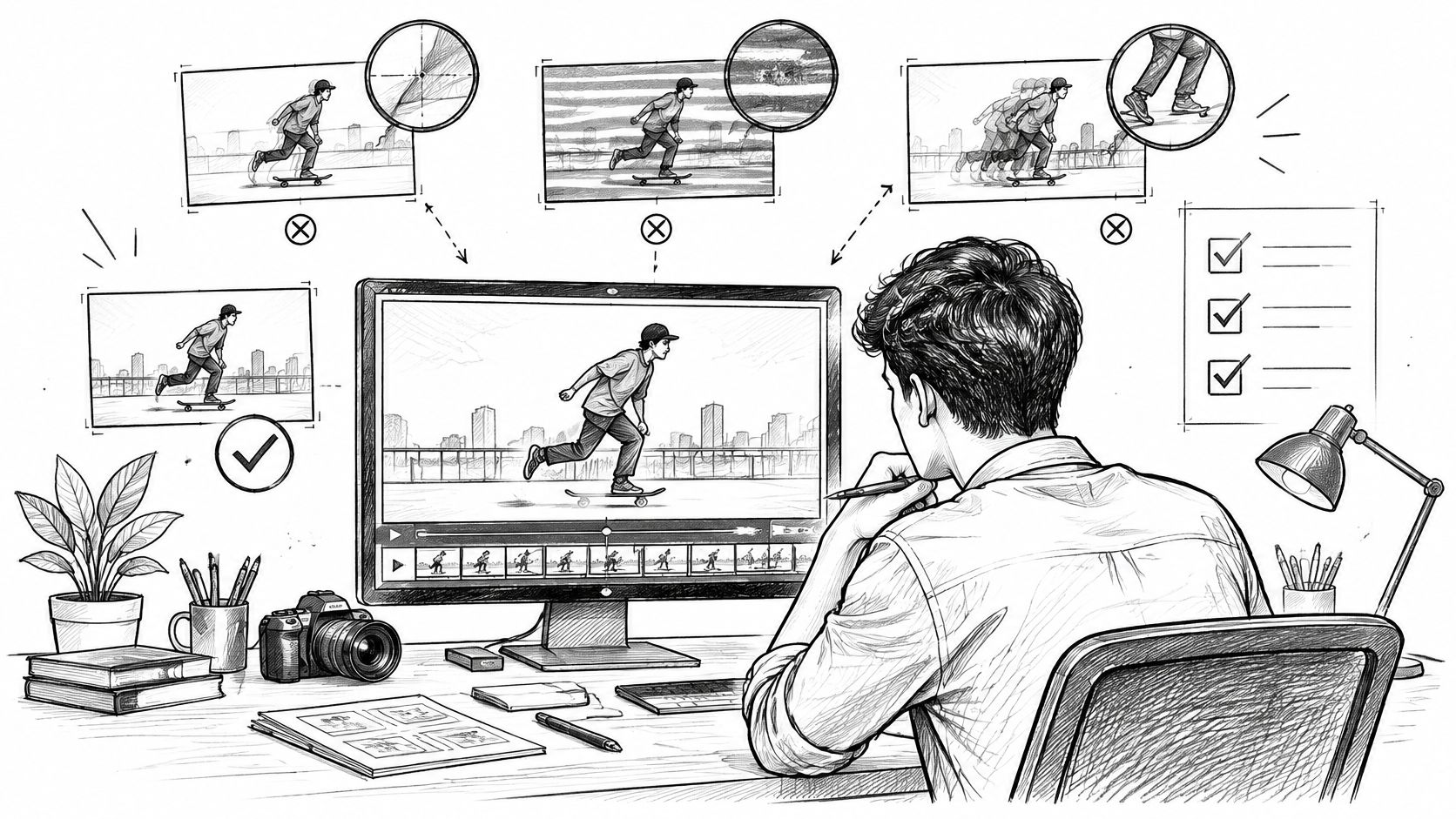
A clip can look sharp in a still frame and still fail in production. Viewers notice a logo that melts, a face that ages between cuts, or a background that jitters. An overall “looks good” score hides those failures.
Four scores, not one average
AIGCBench treats generation as a multi-objective problem. It separates control-video alignment, motion effects, temporal consistency, and overall video quality, and it uses 11 metrics across those dimensions. Temporal consistency can be checked by comparing image embeddings of every pair of adjacent frames and averaging the similarity. That average exposes flicker, identity drift, and sudden appearance changes that a single image-quality score misses.
A related review of evaluation frameworks treats object consistency, background consistency, motion smoothness, dynamic range, and temporal quality as separate dimensions, with tools such as DINO, CLIP, and optical-flow analysis used to quantify them. Log those scores per clip. A model-wide average can look fine while one shot has a skating board that changes shape.
Faces that quietly change
Character continuity is its own failure. The Face Consistency Benchmark asks whether a generated face stays coherent across frames, instead of treating general realism or smooth motion as enough. A pipeline can glide while facial geometry, age, hairstyle, or identity shifts between shots.
That matters for recurring avatars, branded characters, product packaging, and musicians who need the same person across a chorus and a verse. Keep a reference image or identity embedding, score facial similarity on sampled frames, and run the check at every shot boundary, not only inside one clip.
If identity stability falls off on long takes, generate shorter shots, screen them automatically, and regenerate the failures.
Set a threshold in advance. Reject or regenerate clips that miss it on subject, background, or frame-to-frame motion. Review by hand only the borderline ones. The controls worth writing down are facial-consistency score, adjacent-frame similarity, shot-boundary continuity, and a human look at anything near the line.
Disclosure, Trust, and Ownership Before You Scale
Faster publishing is not the same as better results. Automation can raise how many videos you ship while lowering how real they feel. Speed is a weak proxy for whether anyone trusts the brand behind the clip.
A 2025 look at marketer behavior found 41% used AI for video creation, up from 18% in 2024, and caption use had risen 572% since 2021. A separate 2025 consumer study in the same reporting found 82.6% of U.S. viewers had watched videos they suspected were AI-generated, 36% said those videos reduced trust in a brand, and 77.9% trusted videos featuring real people, as summarized by Dataconomy's report on Wistia's AI video findings.
Three ways to handle disclosure
| Approach | What the audience sees | What you should measure |
|---|---|---|
| Transparent disclosure | A clear label that narration, visuals, or both are synthetic | Retention, comments, conversions, complaints |
| Partial human involvement | Real footage or a real edit on top of generated pieces | Whether recognition and comments stay steady |
| Undisclosed automation | A polished file with no label | Complaint spikes and drops in trust signals |
Test one format for a few weeks before you copy it across a channel. Faceless explainers, UGC-style ads, music clips, and small-business spots don't share the same risk. A product demo with a melting package fails differently than a labeled animated explainer.
Public comments on tools are part of that test, not a substitute for your own numbers. We keep Trustpilot reviews of Revid linked to the originals so you can read praise and complaints in the reviewer's words.
The file you can export is not the right you can defend
The U.S. Copyright Office concluded in 2025 that generative outputs can receive copyright protection only where a human author determines sufficient expressive elements, as stated in the Copyright Office's 2025 announcement. EU-focused discussion of the same problem stresses origin, permitted use of copyrighted material, and whether content was AI-created, with provenance tracking and synthetic-content disclosure treated as developing fixes.
Keep a short audit trail:
- Prompt and edit history: Save the prompt, the takes you rejected, and the cuts you made.
- Licenses and consent: Record stock, music, voice terms, and any third-party clip you edited.
- Human decisions: Note the angle, the structure, and the shots you chose. That is the expressive trail.
- Platform labels: Match the disclosure you tested to the label the platform expects.
“The tool let me export it” is not “I can safely monetize, register, or enforce rights in it.” Build the record before the channel scales, not after a takedown.
Comparing Automation Levels and Tools
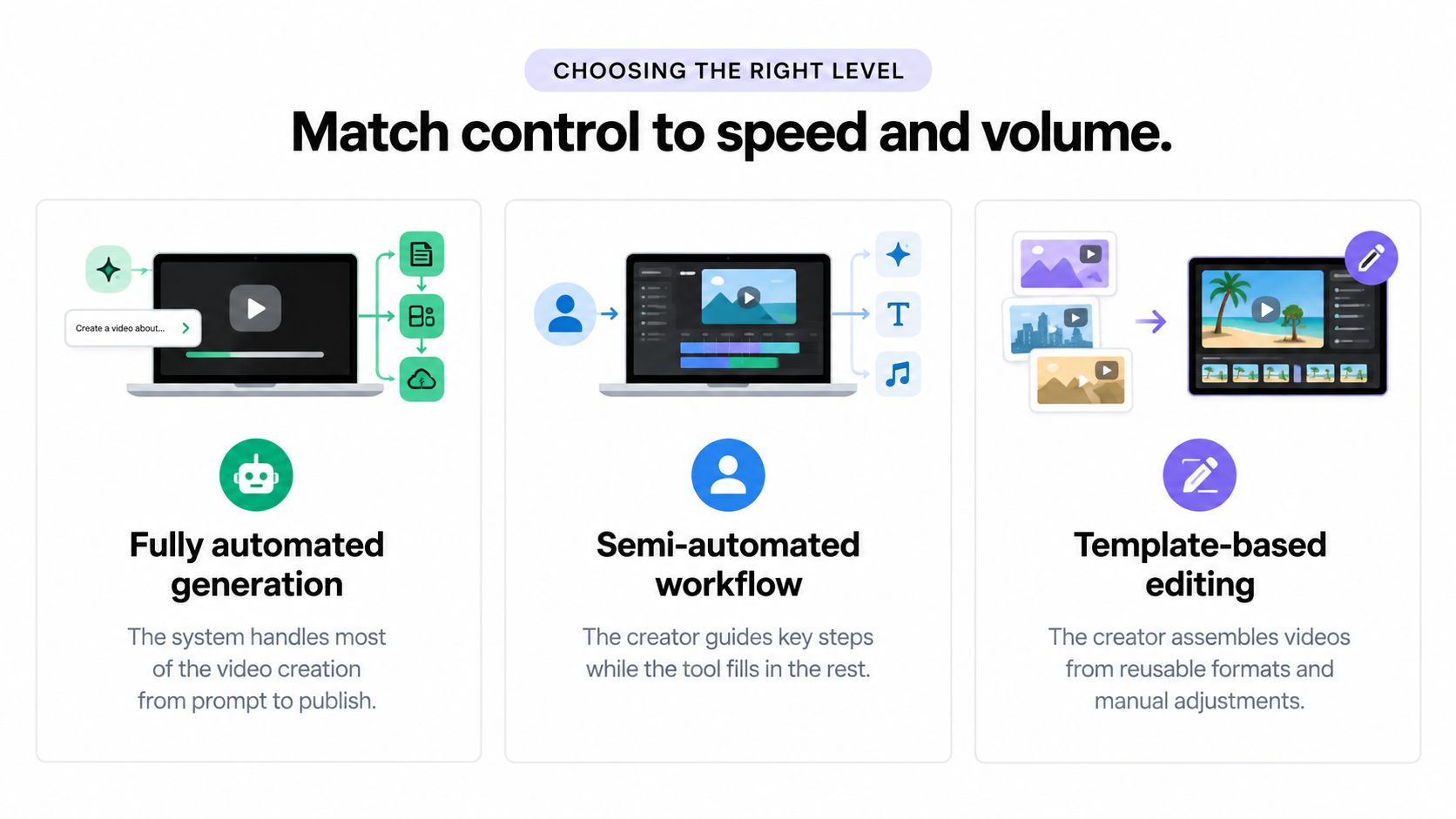
Match control to the volume you need. More automation is not automatically the better buy.
Automation levels and their trade-offs
| Automation level | Best for | Main trade-off |
|---|---|---|
| Fully automated generation | High-volume drafts from a prompt when a person only approves the end | Speed versus control over identity, claims, and pacing |
| Semi-automated workflow | Series where you guide script, shots, or voice and the tool fills gaps | More consistency, less raw originality per hour |
| Template-based editing | Teams with their own footage who want repeatable layouts | Original pictures, slower when you lack footage |
Fully automated generation fits a first test of a faceless short or a simple ad variant. You trade away shot-level control. Semi-automated work fits a musician or a brand that must keep one character stable. Template-based editing fits marketers who already filmed the product and only need assembly, captions, and versions.
Buyer guides often stop at render speed, avatars, and credits. We built Revid Reviews to collect public reviews of the Revid AI video generator from Trustpilot, X, and Product Hunt, with each review linked to its original. The write-ups cover limitations and common complaints next to strengths, and they compare Revid with tools such as Higgsfield, InVideo, Captions, HeyGen, and Pictory. Check any claim against the linked original before you treat it as proof.
Revid is an AI video generator used by more than 3,000,000 creators, with around 59,000+ new signups every month. Scale of use is not the same as fit. A captions-first editor, an avatar studio, and a prompt-to-short generator solve different stations on the line you mapped earlier. Pick the level first, then the tool.
Integration Examples for Creators and Marketers
The same stations serve very different jobs. What changes is the input, the human gate, and the number that tells you the workflow is earning its keep.
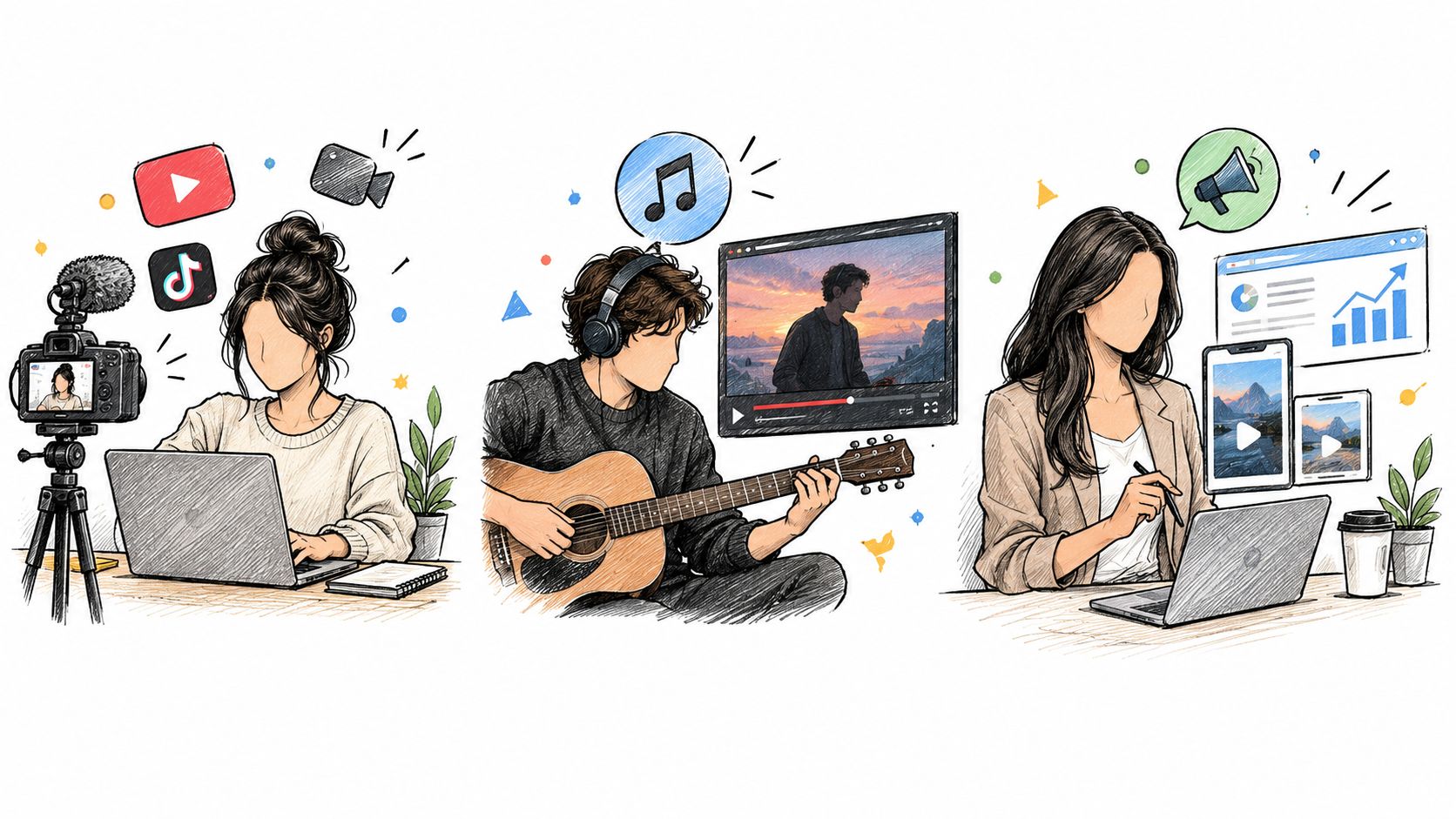
AI-assisted production is no longer a side experiment. In 2025, 51% of marketers had used AI tools for video creation or editing and 49% had not, while 89% of businesses used video marketing overall. Global digital video ad spend reached about $191.4 billion in 2024, up from $173.5 billion in 2023, roughly 10.3%, according to HubSpot's video marketing statistics. Video is already a major channel. Automated creation is still a choice inside it.
Four jobs, four checkpoints
Faceless explainers. Input is a topic prompt or a short article. Automation writes, pictures, voices, and captions a Short or TikTok. You approve the claim and the hook. Watch retention. Identity drift across episodes is the usual break, and the facial and adjacent-frame checks from earlier catch it before you post a third lookalike host.
Music videos. Input is a finished song plus a mood note. The tool builds scenes to the track. You approve whether the performer stays recognizable. Comments and saves tell you if the picture serves the song. A disclosure gap hurts here when fans think they saw a real shoot.
Small-business ads. Input is an offer, a product photo, and a length. Automation assembles variants. You approve the price, the promise, and the label. Conversions and complaints matter more than view count. A smooth clip that invents a feature is a support problem, not a creative win.
UGC-style ads at volume. Input is a brief and a set of hooks. The team generates many near-duplicates and keeps a few. Human review stays on borderline scores and on anything that mimics a real customer. Complaint rate is the alarm. Undisclosed synthetic “customers” are where trust drops fastest.
A walkthrough of a prompt-to-export pass makes the handoffs easier to picture than a settings page.
In each case, publish only after the quality gate and the disclosure choice are written down. The metric you track should match the job, not a generic “views went up.”
Choosing Your First Automated Workflow
Don't automate the whole channel in week one. Start with one low-risk format, a short explainer or a simple UGC-style ad, where a miss is easy to pull.
Use this sequence and stop if a step has no owner:
- Pick one format. One length, one platform, one promise.
- Name the human gates. Script angle, clip choice, voice, and the final watch.
- Set a quality threshold. Reject flicker, identity drift, and broken product shots instead of debating taste.
- Choose disclosure now. Transparent, partial human footage, or a test you are willing to label.
- Track for two or three weeks. Retention, comments, conversions, and complaints, then decide whether to scale.
Revid is an AI video generator that lets users type a prompt and get a script, visuals, and voice in one generation. Early public notes show both the speed and the modest, real outcomes. AdrienBrb wrote on X, “One prompt → script, visuals, voice, everything done. It's easily the best tool I've used to create videos fast.” Uri wrote, “I'm at 250+ subs in 1 month and 700 watch hours. Revid was an amazing tool to get me started.” Those are starting points, not a guarantee your niche will match.
Before you pay, read the originals. We link Product Hunt reviews of Revid alongside Trustpilot and X so you can see limitations in the same place as praise.
Revid Reviews gathers public Trustpilot, X, and Product Hunt reviews of automated video creation with Revid, each tied back to the original post, including limits and complaints. If you are deciding whether a prompt-to-video workflow belongs in your next explainer, ad, or music clip, start with the sourced reviews on Revid Reviews and match them to the checks in this guide before you scale.