You've got a finished song, a release date circled on the calendar, and no budget for a camera crew, locations, or an editor. The track's sitting in your DAW. The cover art is done. What you don't have is anything to post when it drops.
Start with your track, not the tool. The Best AI Music Video Generator for you depends on what you've already got. A finished song that needs a full video, a prompt or visual idea you want to direct, or existing footage that needs cutting to the beat all point to different tools. This guide compares seven options by that starting point, with pricing, credit rules, and the catch on each one.
We're the team behind Revid, and Revid Reviews collects public reviews of Revid from Trustpilot, X, and Product Hunt, each linked to its original. You'll see Revid's weaknesses listed alongside its strengths here. Revid is an AI video generator used by more than 3,000,000 creators, focused on short-form content for TikTok, YouTube Shorts, and Instagram Reels.
Table of Contents
- 1. Revid
- 2. Freebeat
- 3. Neural Frames
- 4. Kaiber
- 5. Rotor Videos
- 6. CapCut
- 7. Runway
- How the seven AI music video generators compare on price, free options and best use
- Match the tool to your input and test before you pay
1. Revid
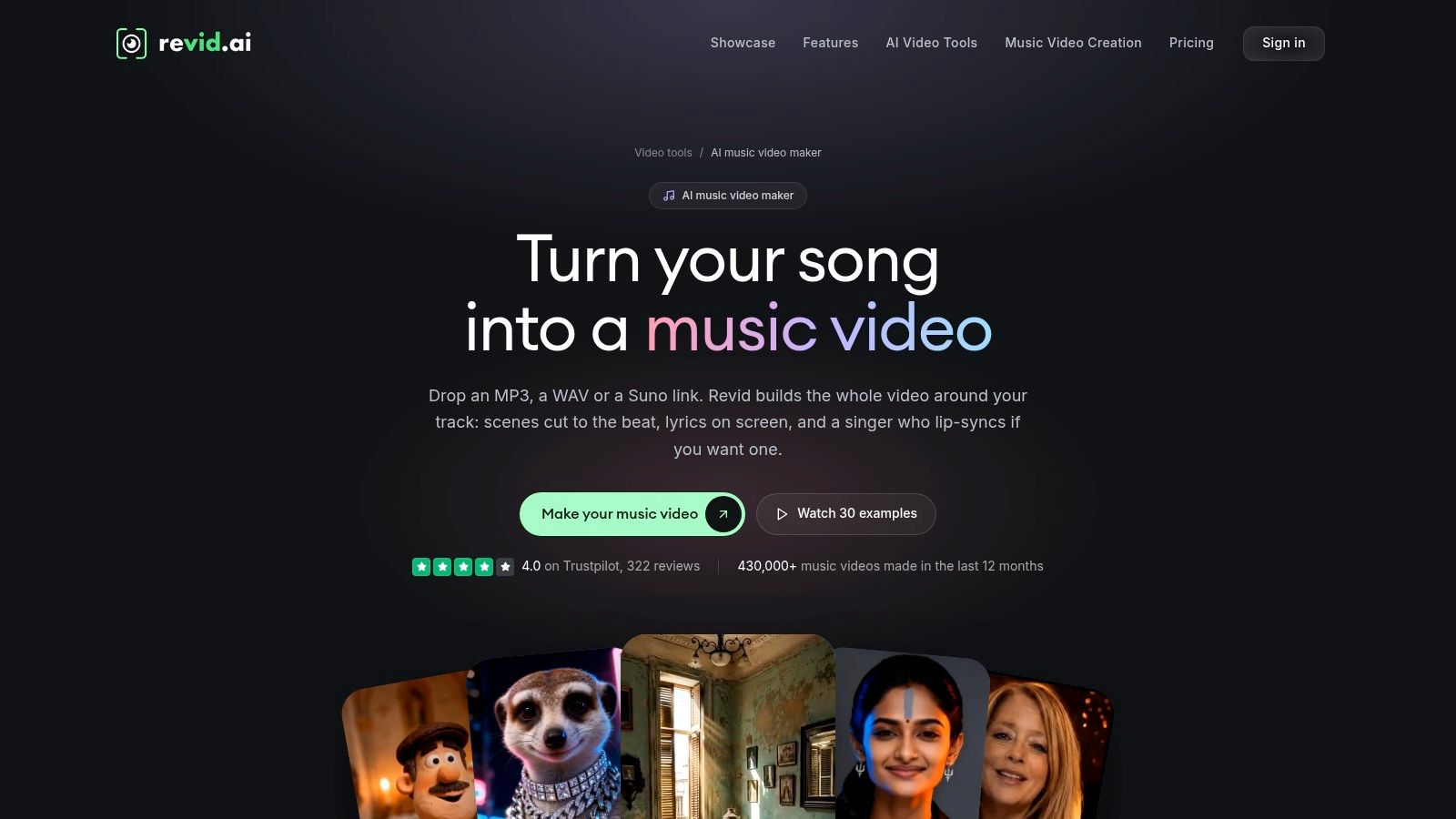
Revid's music-to-video tool is the finished-song path. The track already exists. Upload your audio or paste a Suno link, and it builds a complete video with scenes timed to your lyrics or beat. You get character lip-sync, scene-level editing to swap weak shots, and exports in vertical, square, and widescreen, with resolutions listed up to 4K.
A 2026 Berklee survey of 1,003 video creators, musicians, marketers, and music supervisors found 92.2% of respondents integrate original music into video projects. Start from that recording, not from a text prompt standing in for one.
What the credits actually cost
Credit use depends on song length and video quality. Check current plans and per-generation credit costs on the Revid site before you buy. A free trial needs no credit card, but a longer track or a higher-quality model still spends more of whatever allowance you have. Uncle Grape put the result plainly: "Revid took my song and created the perfect video for me."
- Strength: Generates a complete video, not standalone clips you stitch yourself
- Strength: Also supports broader short-form video and publishing workflows
- Catch: Higher-quality models and longer songs use substantially more credits
- Catch: A cohesive result may need multiple generations or manual scene edits
- Catch: Some Trustpilot reviewers report glitches, credit consumption, or refund dissatisfaction
I recommend it when the song is done and you want a publishable first cut without booking a shoot.
2. Freebeat
There's a large supply of AI-made songs needing visuals now. The 2025 IMS Business Report summary in DJ Mag estimated 60 million people used AI software to create music during 2024. Freebeat targets exactly that crowd.
It's a music-first generator. You upload a song or paste a link from platforms including YouTube, TikTok, Suno, and Udio, and it analyzes the track's rhythm, mood, and structure to plan the visuals. Workflows cover music videos, lyric videos, and performance-style output, in horizontal, vertical, and square, with HD 720p and 1080p exports listed.
Pricing to read carefully
A free plan lets you test the workflow, and paid plans are listed from $4.99 per week. That weekly structure is the catch. Weekly plans renew automatically, so check billing periods and credit expiry before a quick test turns into a habit. Credits, resolution, and features also vary by plan and generation, so the headline price isn't the per-video price.
Practical rule: On any weekly plan, note the renewal date on the day you subscribe, not after you've spent the credits.
Automated results may still need prompt adjustments or editing, which eats further generations. If you want to see how hands-off tools land with launch audiences, the Product Hunt review roundup collects that kind of early feedback in one place.
3. Neural Frames
Your kick should drive the zoom. Your bassline should shift the color. Neural Frames is built for that job: a finished track that needs a full video locked to the arrangement.
It splits the difference between automation and control. Autopilot analyzes lyrics, mood, BPM, and song structure and drafts a storyboard you can review and change. You then tie audio-reactive visuals to drums, bass, vocals, and melody. It extracts lyrics for lyric-video options and includes timeline and frame-level editing. Higher plans add 4K upscaling.
Producers who already work in stems get the most from that control. With the song finished, the practical question is which musical element moves which shot.
Neural Knight is $39/month, or $26/month billed annually. The cheapest listed plan does not include 4K upscaling. Full-length renders can burn credits quickly, and some reviewers consider the service expensive. You get more musical and visual control than a template tool, and the same project can be a full track or a short visualizer. Some reviewers praise the interface and support. The trade-off is a steeper learning curve, so plan an evening on the timeline before you spend a month of credits.
4. Kaiber
Start with a finished track and a rough visual idea, and Kaiber gives you more room than a template tool. It works as a creative suite. Beat Sync takes your audio and visual material and produces batches of beat-matched variations. Canvas supports prompt-led and reference-media work. A timeline editor handles arrangement, and Auto-Clip divides longer footage into reusable shots. One track can become several short promotional clips without a separate editing pass.
Creators increasingly mix AI into part of the workflow. Wondercraft's survey of 514 creators found 83% of surveyed creators used AI in at least part of their workflow in 2025.
The trade-off is review time. Beat Sync can generate more variations than you need, so the export step is mostly curation.
Check the plan before you pay
The catch is plan gating. Beat Sync sits on a higher tier than the entry plan, so the cheapest subscription will not give you beat-matched output. Credits are consumed by model and duration. Confirm Kaiber's current pricing, credit rollover rules, and whether a trial converts into a paid subscription before you enter card details. If the trial renews automatically, cancel before the renewal date or budget for the first paid month.
Before paying for any tool here, read the unfiltered complaints as well as the praise. The Trustpilot review collection for Revid is a useful calibration for how much weight to give a polished demo, and the same habit applies to Kaiber.
5. Rotor Videos

What if you don't want generated scenes at all? Rotor Videos matches and cuts licensed or in-house footage to your music instead. If fake-looking AI people put you off, real footage solves that problem directly.
The output list is built around a release campaign. It makes music videos, lyric videos, album-art motion, and Spotify Canvas, plus social formats, with exports described as meeting Spotify and Apple Music technical specifications. You can preview for free before downloading, and you don't have to write detailed visual prompts for every scene.
That practical asset focus fits how creators work. Adobe's Creators' Toolkit Report, based on more than 16,000 creators across eight countries, found 52% of surveyed creators used creative generative AI to generate new assets such as images and video in 2025.
Artist Unlimited Video is $14.99/month billed annually, and pay-as-you-go credits are also available. Those credits don't expire according to the pricing page.
- Strength: Multiple release assets from one track, not just a single video
- Catch: It uses existing footage, so you can't generate entirely new AI scenes
- Catch: Subscription plans are tied to one artist, so labels and roster work may need a separate arrangement
- Catch: Different assets use different credit amounts
6. CapCut
Plenty of musicians already finish clips on their phone. If that's you, CapCut is the lowest-friction starting point on this list.
It's editing-first, with an advertised AI music-video workflow inside a familiar editor. You get beat synchronization, automatically generated and styled lyrics, effects, and social-media exports across desktop, online, and mobile. CapCut advertises free access to the feature, which makes it the cheapest way to test an idea before committing credits elsewhere.
For context, Epidemic Sound's survey of 3,000 creators in the United States and United Kingdom found 69% of professional creators used AI for content generation in 2025, including ideas, scripts, video, and transcription. Tools bundled into editors people already open daily tend to win that habit battle.
Captions, effects, and final polish are where CapCut earns its keep. Coherent full-length storytelling is not.
That's the honest limit. It's more editor-assisted than a specialized generator for a complete music video with a through-line. Feature availability varies by region and platform, and some features or assets may require paid access. I recommend it for cutting your own footage to the beat, styling lyrics for a Short, or polishing a clip generated somewhere else. Don't buy it expecting a finished three-minute narrative from one prompt.
7. Runway
Sometimes you only need three shots. A hero close-up, a transition, one impossible visual for the chorus. Runway is the tool for directing those shots yourself.
It's a general AI video-generation platform, not a music tool. You generate from text or image prompts with camera-direction controls, in multiple aspect ratios including vertical. Image references help hold a consistent look across clips, and the wider suite covers image, video, and editing work. A free tier with a one-time credit allocation lets you test before paying. Paid plans run on monthly credits.
Treat generation speed claims carefully wherever you read them. Artificial Analysis's video benchmarking methodology measures end-to-end generation time, including queueing, inference, encoding, and download. A music video built from many short clips multiplies that wait, so queue time matters as much as render quality.
The trade-off is total. Runway doesn't analyze your song or produce a finished full-length video. A multi-minute result means generating clip after clip, then cutting and syncing them yourself in an editor. Credit costs and generation limits can make that expensive fast. Our blog guides on AI video workflows cover that assembly side in more depth if you're building a hybrid pipeline.
How the seven AI music video generators compare on price, free options and best use
| Item | Starting price | Free option | Best for | Key limitation |
|---|---|---|---|---|
| Revid | $39/month | No free option stated | Complete videos timed to songs | Longer songs and higher quality use more credits |
| Freebeat | $4.99/week | Free plan available | Hands-off, song-led video creation | Credits and features vary by plan |
| Neural Frames | $39/month or $26/month billed annually | No free option stated | Creators wanting musical and visual control | Steeper learning curve; full renders use credits quickly |
| Kaiber | $10/month; Beat Sync from $29/month | No free option stated | Beat-matched videos with editing tools | Beat Sync is not included in Starter |
| Rotor Videos | $14.99/month billed annually | Free previews available | Music release and promotional assets | Uses existing footage rather than generating new scenes |
| CapCut | Paid pricing not specified | Free access advertised | Editing, captions, effects, and social exports | Availability varies by region and platform |
| Runway | Paid pricing not specified | Free tier with one-time credits | Directed cinematic shots and visual inserts | Does not create a finished full-length video from a song |
Match the tool to your input and test before you pay
The commercial context explains why so many of these tools exist. A generative AI in music market analysis reported by Yahoo Finance put the market at an estimated US$642.8 million in 2024 and projected approximately US$3.0 billion by 2030. That's a projection, not a guarantee, and it doesn't make any single generator release-ready. Judge on audio synchronization, visual consistency, export quality, and licensing clarity instead.
Here's the shortlist by starting point. Finished song, minimal setup: Revid, Freebeat, or Neural Frames. Batches of beat-matched promotional clips: Kaiber. Release assets from existing footage, including Spotify Canvas and lyric videos: Rotor Videos. Footage you shot yourself plus lyric styling: CapCut, especially since its feature is advertised as free. Hero shots you direct individually: Runway.
Before you commit, run the same 30-second section of your track through your two finalists. Write down the credits each one used, check whether you can fix one bad scene without regenerating everything, and read the renewal and expiry rules. Then check your publishing obligations, because the generator's license isn't the whole story. YouTube's altered content disclosure guidance requires creators to disclose realistic AI-generated or altered content, and repeated nondisclosure can lead to labels, content removal, or YouTube Partner Program penalties.
Revid offers a free trial that requires no credit card to start, so you can measure its credit cost on your own track before paying. Do the same test everywhere that allows it. Your song is the only benchmark that counts.
Revid Reviews collects public reviews of Revid from Trustpilot, X, and Product Hunt, each linked to its original, alongside honest pricing, credit, and cancellation guides for music videos, faceless channels, and short-form content. Before you pay for any generator, check what real creators report after the trial credits run out. Visit Revid Reviews to read the originals and compare the complaints with the praise.