The most popular advice about text to video tools is to write better prompts. That's useful advice after you've bought the right product. Before that, it can send you into an expensive loop of rewriting instructions for a tool that can't deliver the video you need.
Judge consistency, rejected generations, editable text, and publishing safeguards before visual style. A beautiful frame isn't a finished video. Your buying test should reveal what happens when the subject moves, the camera turns, the product label matters, and you have to make another post tomorrow.
Table of Contents
- Match the tool type to the video you need
- Continuity text and counts still break videos
- Credits trials and caps that change the real price
- Faceless channels music videos and ads
- How to test two tools on the same prompts
- When Revid is the tool to try
Match the tool type to the video you need
| Tool type | You provide | You get back | Usual weak spot | Best fit |
|---|---|---|---|---|
| Prompt-to-clip generator | A scene description | A short generated clip | Identity drift and very short length | B-roll and concept tests |
| Script-to-video suite | A topic, script or prompt | Script, visuals, voice and often captions | Generic look and credit burn on rerolls | Faceless Shorts, Reels and explainers |
| Avatar or presenter tool | Script plus a chosen face | A talking-head video | Uncanny motion and consent risk | Ads, training and sales videos |
| Music-to-video tool | A song or audio file | Visuals timed to the track | Bad on-screen lyric text | Music videos and artist promos |
| Editor with AI add-ons | Footage you already shot | Captions, cuts, dubs or translations | Not true generation from text | Repurposing an existing video |
Pick a row before comparing brands. If you need a narrated explainer, don't buy a cinematic clip generator just because its demonstration looks expensive. You'll still need to write the script, create the voiceover, assemble scenes, and finish the captions.
The reverse mistake is equally frustrating. If you need precise camera movement through an invented environment, a script-to-video suite's automatic scene assembly may give you the wrong kind of control. Convenience and shot direction aren't interchangeable.
Buy the missing part of your workflow
Start with the assets you already own. A recorded interview calls for an editor, not a synthetic replacement for the person you filmed. A product demonstration needs trustworthy product footage, even if you generate an atmospheric opening around it.
A faceless channel has a different problem. Its creator needs a complete sequence that communicates an idea, not an isolated shot that looks impressive without narration. For that buyer, script quality, scene replacement, voice controls, and subtitle editing deserve more attention than cinematic texture.
Revid belongs in the short-form script-to-video row. It lets users type a prompt and receive a script, visuals, and voice in one generation, with a focus on TikTok, YouTube Shorts, and Instagram Reels. Its free trial requires no credit card to start.
Public reactions can help you identify which workflow people value. Browse the Product Hunt review collection for the jobs reviewers describe, rather than treating enthusiasm as evidence that every output will fit your channel.
A growing category isn't a single product
One estimate collected by Botmemo's AI video statistics roundup placed the dedicated AI video-generator market at approximately $788.5 million in 2025, with a projected value of about $3.44 billion by 2033. That indicates commercial interest, not equal capability across tools.
Market totals change when analysts include editing, captions, analytics, and post-production alongside generation. Buyers face the same scope problem when comparing subscriptions: a pure clip generator can look cheaper because it leaves more work outside the product.
Ask what arrives on the timeline, what remains editable, and what you must purchase elsewhere. A bundled voiceover isn't valuable if you have to replace it, but a slightly less spectacular visual engine may be worthwhile if the suite removes most of your assembly work.
The table is a filter, not a winner list. Eliminate the wrong product class before spending trial credits on differences in style.
Continuity text and counts still break videos
A jacket changes color during a turn. A hand gains a finger as it reaches for a cup. The doorway moves to the opposite side of the room after a camera pan.
Those aren't minor aesthetic disagreements. They're failures of temporal consistency, the ability to preserve the scene as time passes. If the viewer is supposed to recognize a person, understand a demonstration, or trust a product shot, those failures can make the clip unusable.
A video has to remain believable while it changes
A still image only has to look right once. A video must preserve identity, objects, background geometry, and camera relationships while showing movement. Sharpening the opening frame doesn't solve that problem.
The 2022 paper Video Diffusion Models helped establish diffusion-based video generation by extending image-generation methods to model temporal information across frames. Its significance for buyers is the distinction between generating attractive images and maintaining a coherent moving scene.
Don't evaluate that coherence through thumbnail previews. Watch the whole shot at normal speed, then scrub through the moment when the subject turns, becomes partially hidden, or interacts with another object. Those transitions are useful stress points because the generator must preserve details it isn't showing continuously.
Use continuity as a production checklist, not an abstract technical label.
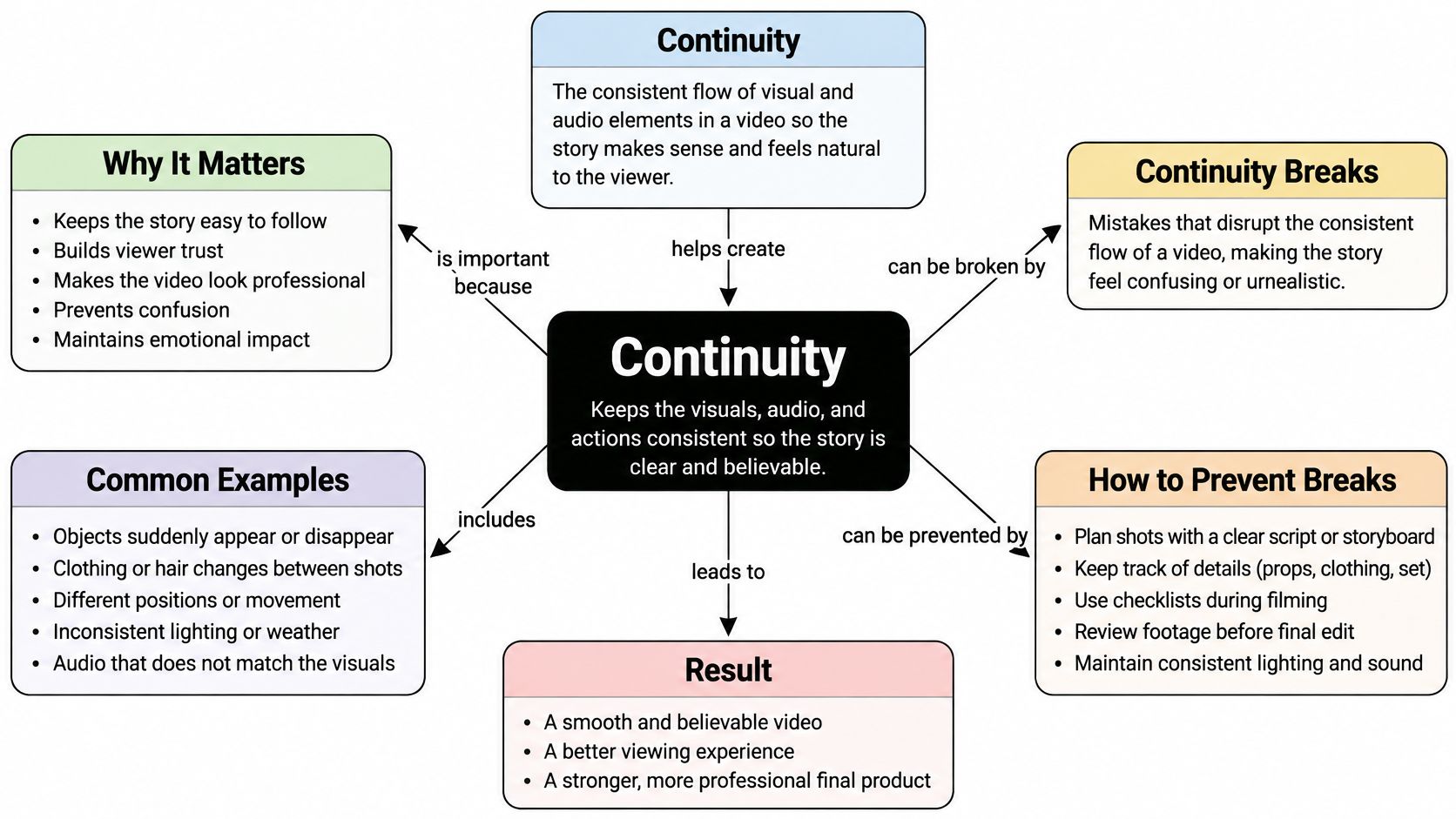
Look beyond faces. A product's cap, handle, stitching, or control panel may matter more than a background character's expression. Decide which details carry meaning before judging whether a mistake is tolerable.
For an abstract music sequence, a changing wall texture might be acceptable. For an installation tutorial, a changing connection point isn't. The intended claim determines the acceptance standard.
Treat generated words as unverified artwork
The T2VTextBench evaluation examines on-screen text fidelity and temporal consistency, reporting that most evaluated state-of-the-art systems struggle to keep text legible and stable as scenes change. That's a direct warning for anyone generating labels, offers, specifications, or explanatory graphics.
Say a bakery advertises a fixed price. The generated sign may resemble the intended amount at the start, then dissolve into plausible-looking nonsense when the camera moves. The scene can still feel polished while communicating an incorrect offer.
A logo creates a related problem. A near-match isn't the approved brand asset, and visual resemblance doesn't establish permission to use it. Don't ask a generator to improvise an identity mark that your client expects to remain exact.
Production rule: Generate the environment. Add the claims as controlled, editable layers.
This applies to statistics as well as words. A generated chart, percentage, or specification remains a placeholder until someone checks the underlying claim and the finished display. Readability alone doesn't make it accurate.
Count objects through the entire action
Counting is a separate acceptance check. If the prompt asks for a fixed set of bottles, inspect whether that set remains intact when the camera moves or a hand crosses in front of it. An object that splits, disappears, or becomes a different product can change what the viewer thinks is included.
Don't assume a correct opening composition proves object persistence. Follow individual items through the shot, using distinctive features such as cap color or label placement. If you can't track them reliably, the shot isn't suitable for a claim about the set.
For exact quantities, composite approved product assets instead of relying on a generated arrangement. That gives the editor control over both the count and the appearance of each item.
Separate scene generation from factual finishing
Use this finishing sequence when an output contains commercial or instructional information:
- Render without critical wording. Request a clean sign, blank label area, or uncluttered background where possible. Avoid baking essential copy into the scene.
- Add verified overlays in an editor. Set prices, subtitles, specifications, and approved logos on separate tracks in Premiere Pro, DaVinci Resolve, or another conventional editor. Track the layer to the surface if it needs to move with the shot.
- Validate repeated elements manually. Check the full sequence, not just the export thumbnail. Use composited duplicates or real product footage when quantity must remain exact.
Keep the replacement work realistic. A blank sign facing the camera is straightforward to finish; a reflective package rotating behind someone's fingers is a more demanding tracking and masking job. Choose a simpler shot if the overlay would take longer than filming the actual product.
A tool can win on prettiness and still be the wrong choice for a performance ad. The relevant question is whether the finished video communicates the right thing without requiring you to rebuild its most important elements.
Credits trials and caps that change the real price
| Model | How you pay | What runs out first | Buyer risk |
|---|---|---|---|
| Subscription plus credits | Monthly fee and a credit pool | Credits spent on rerolls and rejects | Unused credits may expire |
| Per-export credits | A charge or credit per finished render | Failed generations that still bill | Hard to budget a testing week |
| Flat plan with caps | One price, with length or resolution limits | Queue time, duration or high-resolution access | Commercial rights may sit outside the included allowance |
| Free trial | No fee, sometimes no card | Generations, length or watermark removal | Too few clips to judge consistency |
The subscription price isn't the cost of a published video. Your actual cost includes rejected takes, replacements, finishing work, and any separate tools needed to make the export publishable.
Read the billing trigger carefully. A charge per render is not the same as a charge per downloaded file, and neither necessarily means you pay only for clips you approve. Check what happens when a generation fails technically, succeeds but looks wrong, or needs another voice or scene.
Budget for the rejected takes
Rerolls deserve their own budget line. If changing an identity error requires a new generation, you're buying another attempt, not correcting the existing take for free. A workflow that looks cheap in a demonstration can become expensive when you need a dependable series.
Don't assume that a plan described as unlimited removes every constraint. Inspect render queues, maximum duration, export resolution, watermark rules, and commercial permissions. Treat each as a separate buying condition rather than inferring it from the plan's name.
Price the work you would publish, not the generations you can start.
A trial is useful only if you can test the relevant uncertainty. A small allowance may reveal whether you like the editor, but it may not reveal how consistently the model handles your subject. Revid's trial doesn't require a credit card to start; inspect the current allowance before designing your test.
Build a weekly production budget
Use a worksheet with these inputs:
- Publishing workload. List the posts you intend to finish and the generated scenes each post needs.
- Attempt cost. Record the credits consumed by accepted takes and rejected takes together.
- Finishing time. Include scene replacement, voice corrections, captions, overlays, and export checks.
- Plan restrictions. Check expiration, rollover, watermark removal, resolution access, and commercial rights on the live pricing page.
Calculate generation spend divided by publishable exports, then account for editing time separately. Don't divide by every file the tool produced, because that rewards a product for generating unusable material.
Keep the current plan terms with your worksheet. Credit allowances and feature access can change, so a remembered price or an old comparison screenshot isn't a dependable purchasing basis. The planning question is simple: what will a normal week of videos you'd post cost?
Faceless channels music videos and ads
Good output means something different for a faceless series, a music promo, and a product ad. Set the success condition before you generate anything, or you'll accept attractive footage that doesn't do the job.
A series needs a recognizable pattern
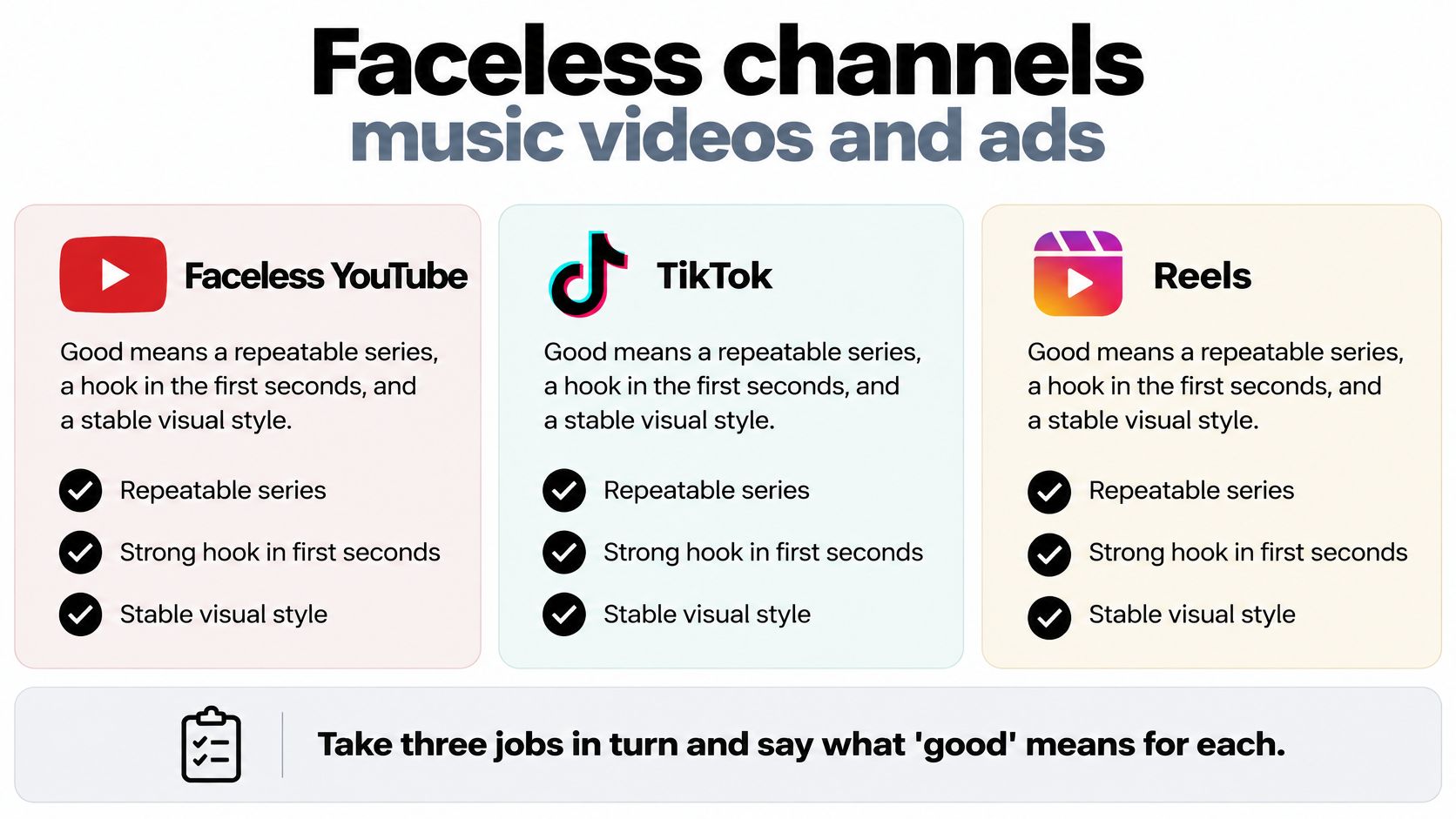
For faceless YouTube, TikTok, and Reels content, prioritize a clear opening hook, readable captions, stable visual treatment, and a workflow you can repeat. Test whether you can replace a weak scene without rebuilding the narration and timing.
Jaminel Technology, a United States Trustpilot reviewer, called Revid “the best faceless content tool for YouTubers.” That's an individual recommendation for a particular workflow, not a guarantee about your niche or publishing results.
Use a series checklist to separate attractive experiments from repeatable posts.
Music needs timing and ads need product truth
For a music video, let the track determine the edit. Check whether visual changes support the phrasing and mood rather than merely filling the timeline with movement. Set lyrics manually when exact wording matters.
Magnus Bergman, a Swedish Trustpilot reviewer, described Revid as “Absolutely the best AI video generator for my music.” Read that as evidence of a music-creation use case, not a controlled comparison of synchronization or export quality.
For ads and UGC-style spots, keep the product and endorsement truthful. Generate atmosphere where appropriate, but use approved assets for the offer and don't present a synthetic customer as someone who bought the product.
Decide what viewers need to know
In a May 2026 survey of more than 16,000 creators across eight countries, Adobe and The Harris Poll found that 85% said audience expectations around disclosure were increasing or staying steady, while 49% said they always or often disclose AI use. Don't leave that decision until upload.
Use a practical disclosure rule:
- Writing assistance. Record whether AI drafted the script, then verify claims and follow the publishing platform's applicable requirements.
- Generated scenes. Label realistic synthetic footage when viewers could mistake it for a camera recording of an actual event.
- Synthetic people and voices. Keep consent records and make the synthetic nature clear where the audience could infer a real person or endorsement.
- Localization. Preserve the original meaning and record who approved the translated or dubbed version.
These are workflow safeguards, not a substitute for checking platform rules and applicable law. Keep provenance notes, permissions, and disclosure wording with the export.
An exported caption isn't a checked caption
Reporting on Wistia's 2025 video data, Dataconomy noted that more than 60% of respondents used or planned to use AI captions, while 38% used voice dubbing. Those features deserve a separate acceptance test.
Have a viewer check caption timing, speaker changes, names, and whether text remains readable over the visuals. Ask a fluent speaker to review translated meaning and dubbed pronunciation. Mark each version as exported or human-checked, because those are different production states.
How to test two tools on the same prompts
Run a controlled trial, not a browsing session. The FETV benchmark found that widely used automatic metrics, including FVD and CLIPScore, correlate poorly with human judgments of video quality and text alignment. Your test needs human checks for the mistakes viewers notice.
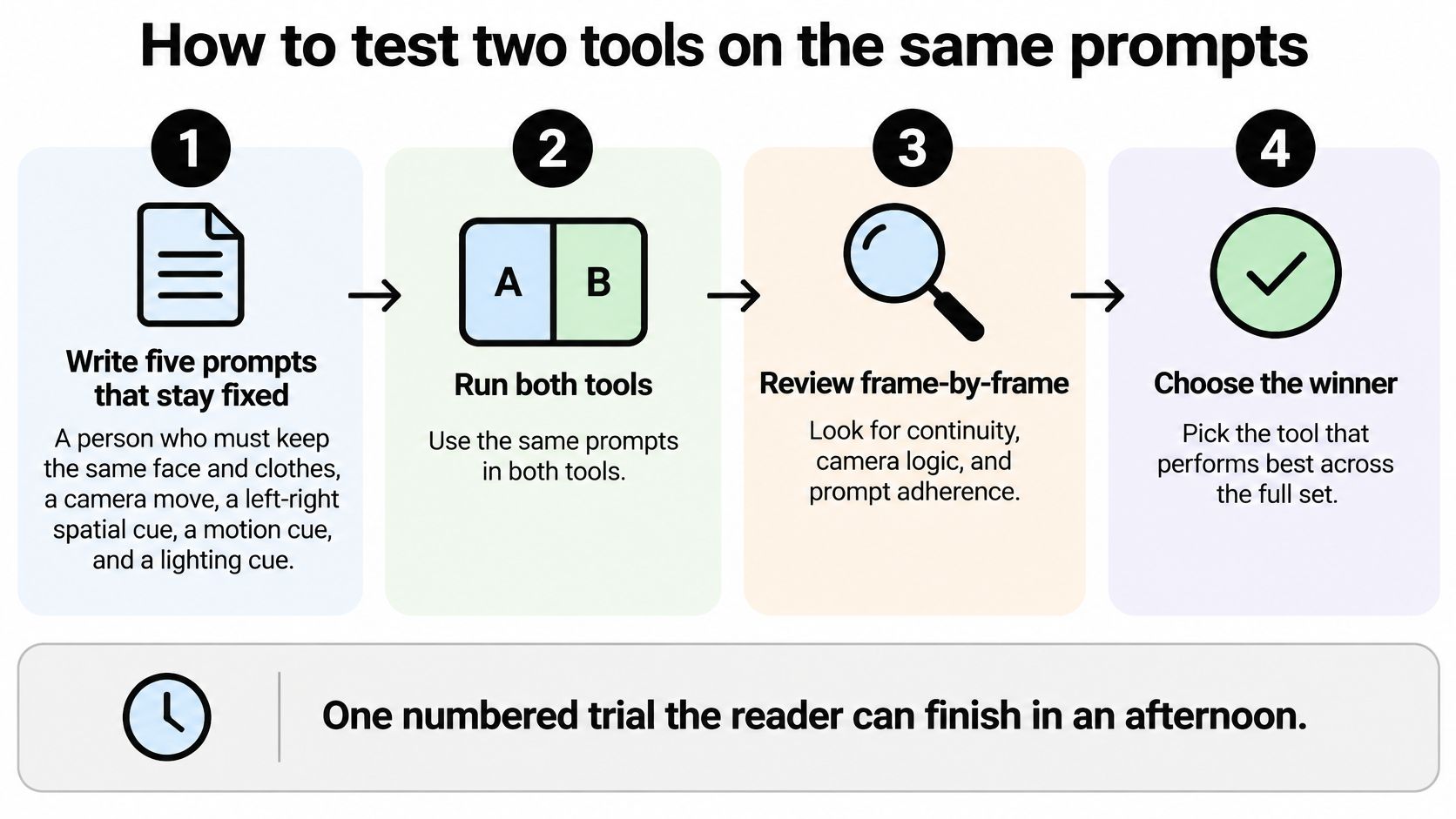
Use the visual overview to organize the comparison, then keep the full record described below.
Keep the inputs fixed and the rejects visible
Write five fixed prompts. Test a person keeping the same face and clothes, a camera move, a left-right relationship, ordered actions, and a scene transition. For example, ask a person to put down a cup before opening a notebook. These are proposed test cases, not benchmark thresholds.
Add a sixth stress prompt containing an exact price and object count. Use a fictional offer and generic products. The purpose is to expose failure, not to sneak a difficult instruction out of the comparison.
Generate at least three takes per prompt on each tool. Match aspect ratio and intended duration as closely as the interfaces permit. Save every take; a lucky result doesn't demonstrate repeatability.
Score each take on temporal consistency, prompt adherence, plausible motion, and visual fidelity. Use a simple pass, repairable, or reject judgment for each. Don't let attractive lighting cancel out a missing action.
Calculate the failure rate. Divide rejected takes by all takes, using the same rejection rules for both tools. Record repairable outputs separately so you don't confuse salvageable footage with ready-to-publish footage.
Time the cleanup in your normal editor. Include scene replacement, caption fixes, typography, audio adjustments, and final review. Stop timing only when you would publish the export.
Divide total credits consumed by usable exports. Include credits spent on rejects and revisions. Then translate that consumption into the current plan's cost, accounting for the allowance you'd need to purchase.
Read commercial-use terms, watermark conditions, and voice-consent requirements before publishing. A technically successful render can still fail your publishing requirements.
Record decisions rather than impressions
Keep prompt text, settings, credit use, cleanup time, and rejection reasons in the same spreadsheet. This prevents you from remembering the best clip from one tool and the worst clip from the other.
For a video walkthrough alongside your own controlled test, use the following embed.
Use the buyer-guide blog for additional comparison questions, but keep your own results as the decision record. Don't select a winner until you have both a failure rate and a credit count.
When Revid is the tool to try
Try Revid when your bottleneck is short-form assembly, not when you need a universal replacement for filming and editing. It's a reasonable trial candidate for a faceless social workflow that needs coordinated writing, visuals, and narration, or a music promo that needs an initial visual direction.
Look elsewhere when the central requirement is a consent-managed realistic presenter, sustained narrative continuity, or precise product demonstration. Choose the product class that gives you control over the part you can't afford to get wrong.
| Job | Try Revid when | Look elsewhere when | Complaint to weigh |
|---|---|---|---|
| Faceless Shorts, Reels and TikTok | One prompt must return script, visuals and voice | The series needs a look the suite cannot hold | Rerolls still burn time and credits |
| Music promo | A track needs a first timed visual cut | Lyrics on screen must be exact | Generated lyric text is unreliable |
| Ads and product claims | You need atmosphere around a verified product | Prices, logos or counts must be exact in the generated footage | Require verified text, counts, and commercial rights before publishing |
| Realistic presenter | The post can work without a photorealistic spokesperson | A viewer could mistake the face for a real person | Uncanny motion and consent risk |
| Long narrative | You need a short concept or standalone insert | Identity and scene logic must hold for minutes | Short clips and identity drift complicate assembly |
The complaint column lists buying risks to test, not attributed customer allegations. Don't read a general generation limitation as proof that a particular customer experienced it.
Treat public praise as a lead to investigate
AdrienBrb, posting as @adrien_brbr on X, praised Revid's prompt-based assembly and speed. That supports testing the convenience of the workflow; it doesn't establish that your required style will remain consistent.
Revid is used by more than 3,000,000 creators, with around 59,000+ new signups every month. Those figures are a reason to investigate the product, not evidence that a particular render is publishable or that your channel will grow.
This site is run by the Revid team. We collect public comments rather than independent laboratory results. Use our Trustpilot review collection, along with the X and Product Hunt collections, to reach the original reviews and examine what each person claims.
Let the trial earn the paid plan
Don't choose a subscription because a reviewer's subject looked easier to generate than yours. Test your own recurring character, visual treatment, narration needs, and finishing workflow. Pay attention to whether making the next post feels repeatable or requires a fresh round of improvisation.
Start the no-card trial with the fixed prompt set and keep the rejected outputs. Add the text-and-count stress case if the available allowance permits, then price a normal week of posts from actual credit consumption and cleanup time. Choose a paid plan only when the workflow, not merely the demonstration, fits.
Revid Reviews collects public reviews and practical buyer guides so you can evaluate Revid's fit, credit costs, and limitations before paying. Visit Revid Reviews to inspect original creator feedback and build a shortlist around the videos you need to publish.